
HP Slate 7 Extreme - The Stylus Goes Mainstream
The HP Slate 7 Extreme is essentially a rebranded NVIDIA Tegra Note model. It is the first 7-inch OEM Android tablet to come with a stylus, equipped with the NVIDIA Tegra 4 quad-core processor and an affordable price tag. Find out how the Slate 7 Extreme goes up against the other 7-inch tablets!

Overview

The HP Slate 7 Extreme comes with a built-in stylus that allows you to scribble and draw.
While HP is synonymous with computing equipment at home and in the office, they had quite a rocky start in the tablet market. Its WebOS-powered TouchPad breathed its last gasp after a brief two-month tenure on retail shelves although it created a stir in Singapore when it was priced at S$126 (16GB) and S$201 (32GB) at Comex 2011. Even by today's standards, that's considered cheap and it became a highlight of Comex 2011. However being cheap isn't a great trait and more so for a product that has been discontinued.
For almost two years following that stint, HP had no presence in the tablet market until February 2013 when it announced its first Android tablet, the Slate 7. Positioned as an entry-level tablet, the Slate 7 failed to impress due to its mediocre specs and capabilities. There were compelling alternatives such as the Google Nexus 7 (2012) that cost only a little more and delivered better performance.
The company saw yet another opportunity to boost its presence when NVIDIA announced the US$199 Tegra Note reference tablet in September 2012. Despite its very affordable price tag, the Tegra Note is equipped with the Tegra 4 quad-core processor and a 7-inch display (1,280 x 800 pixels).
In October 2013, we had the chance to preview the HP Slate 7 Extreme, which is the successor of the Slate 7 and is based on the Tegra Note tablet platform. Will a rebranded Tegra Note tablet help HP get a stake in the booming tablet market? Read on to find out as we now assess the final retail unit. But before we begin, here's a quick look at the specs between the HP Slate 7 Extreme and Slate 7:-
Design and Handling
As a rebranded Tegra Note model, the Slate 7 Extreme looks almost like an exact replica (minus the rear finish). Its most distinct physical trait is the front-facing stereo speakers, a placement made famous by the HTC One family of smartphones.
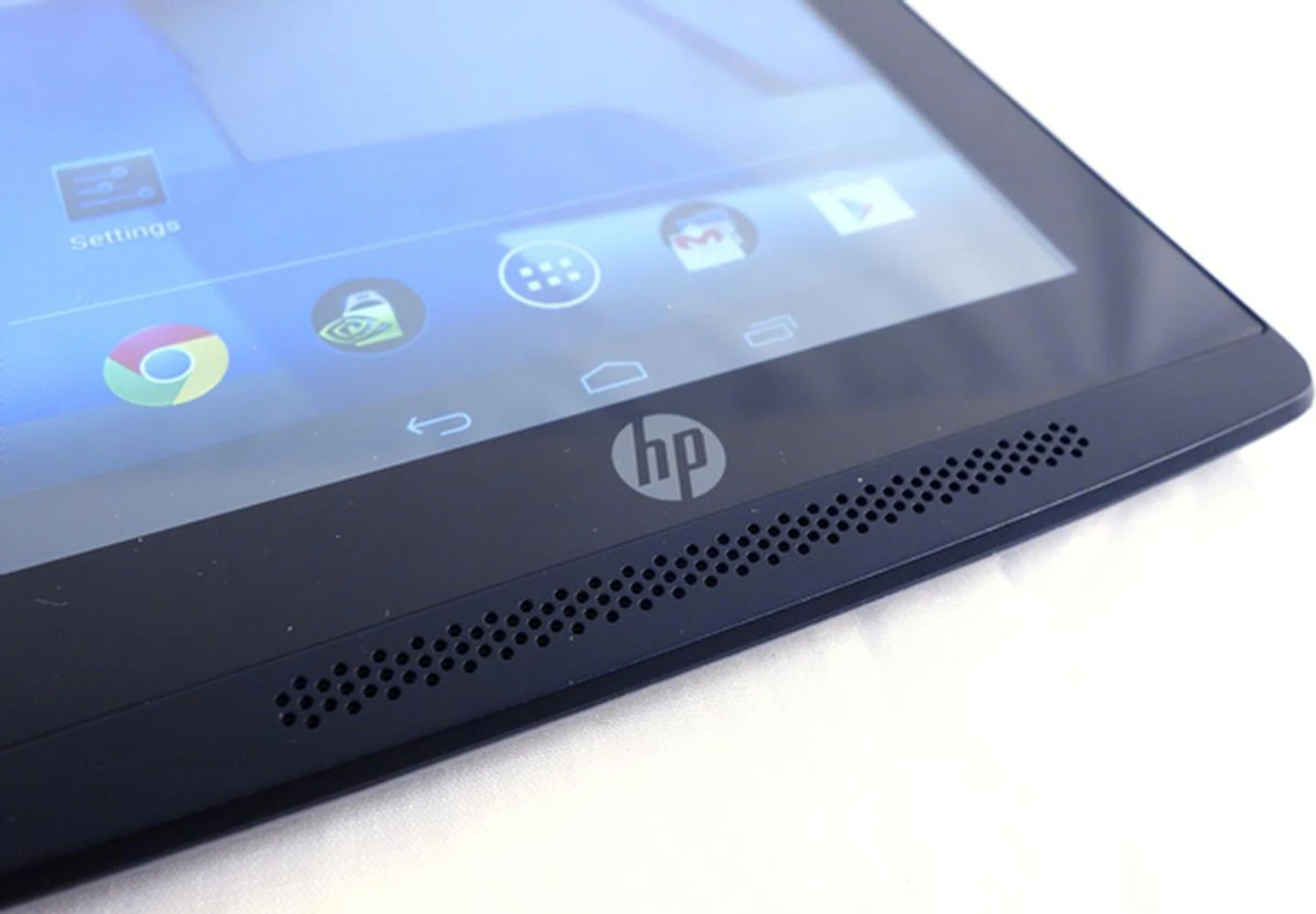
Find these front-facing stereo speakers familiar?
Depending on how you place your hands while holding the tablet in landscape mode, the location of the front-facing speakers at either side means that you are more than likely to cover the speakers with your thumb. This can be averted by resting your finger closer to the edges. During our test period with the Slate 7 Extreme, we tried handling the tablet naturally, which would mean our thumb did cover the speakers; fortunately, audio quality was not as affected as we assumed it to be. The audio was still loud in an enclosed room and the quality was top-notch for a tablet.
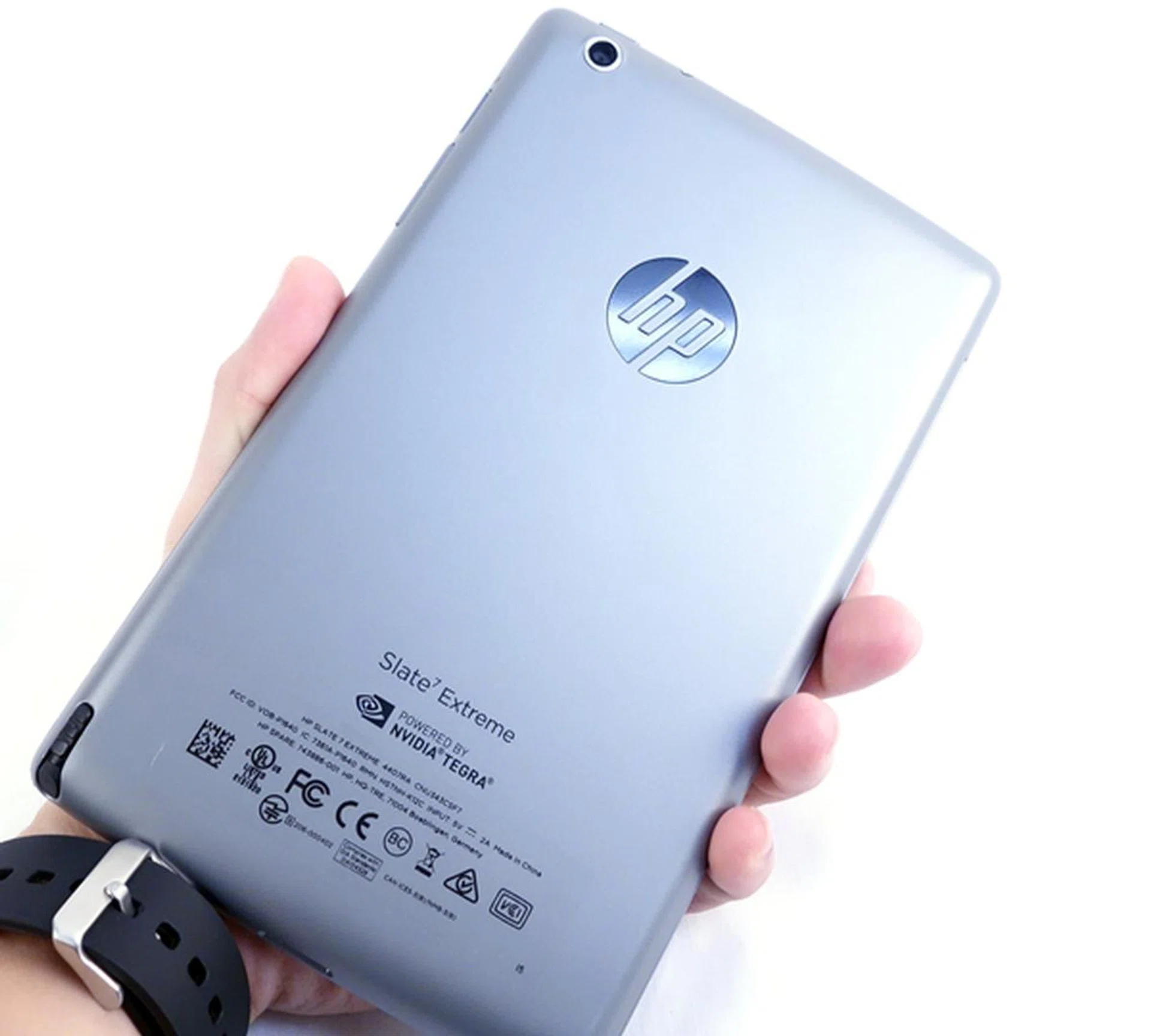
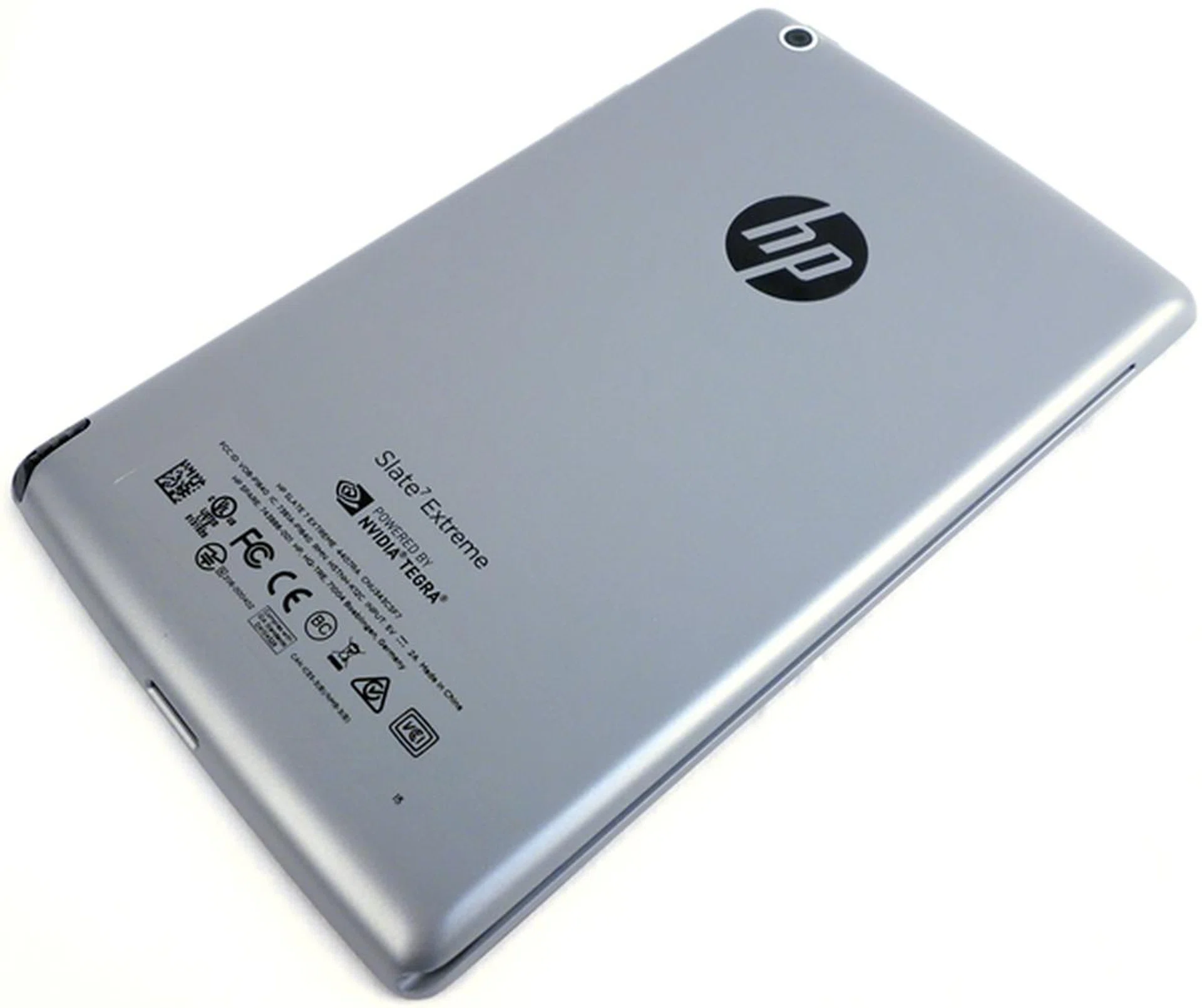
The rear of the HP Slate 7 Extreme looks metallic, but it is actually made from hard plastic.
While the Tegra Note has a dimpled rear like the Nexus 7 (2012), HP opts for a gun metal plastic rear for the Slate 7 that has a somewhat similar appearance (albeit darker tone) to the space grey Apple iPad Mini with Retina display. Despite its plastic build, the Slate 7 Extreme still feels solid, rigid and well built. While it has shed a lot of weight from the old Slate 7, it's still not the lightest 7-inch tablet around. However it weighs just enough that it adds to the solid feel of the device.
The top right side of the Slate 7 Extreme houses the micro-USB port, micro-HDMI port, 3.5mm audio output jack and the power button. You will find the micro-SD card slot and volume controls on the right profile of the tablet.
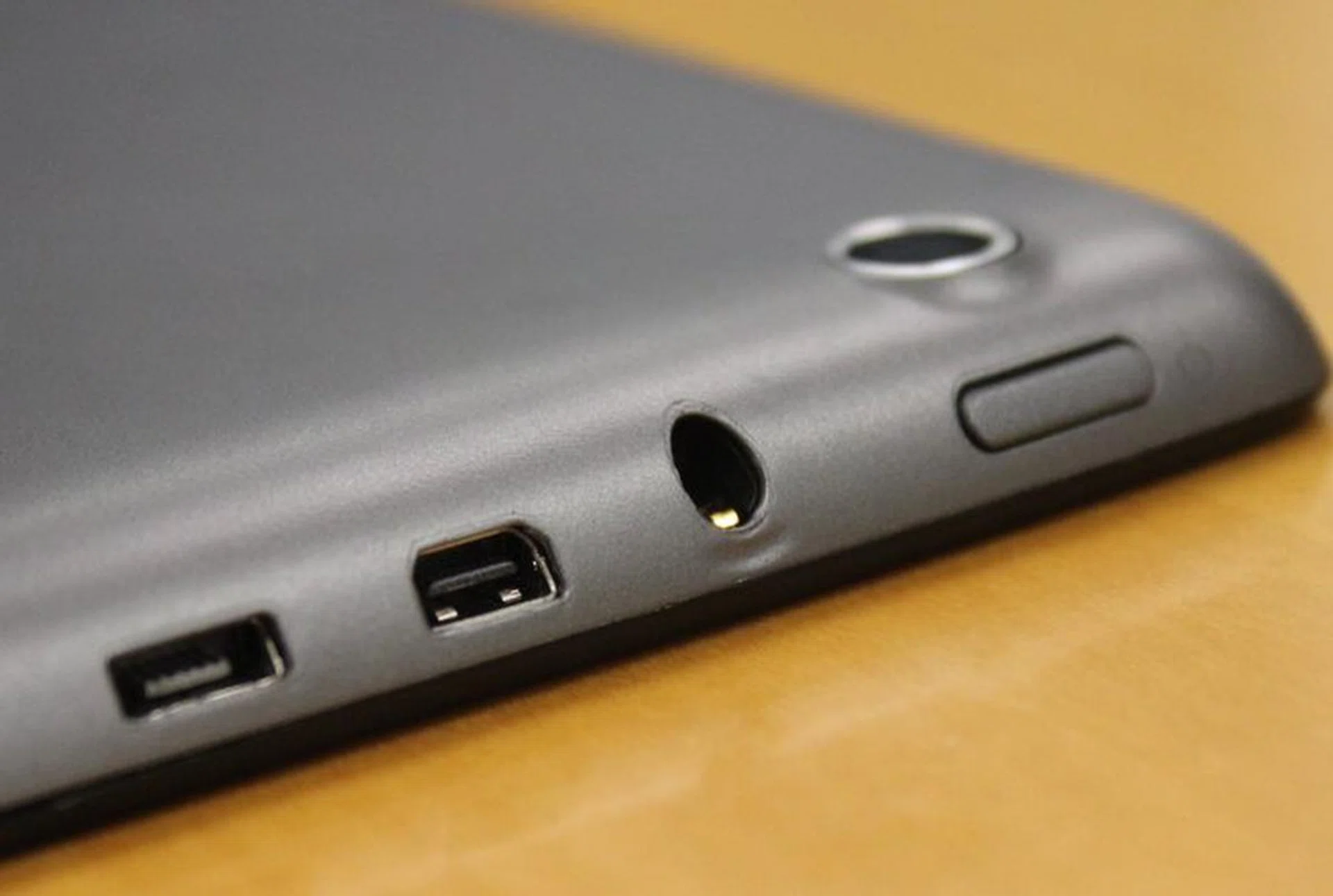
All the input and output connections (micro-USB port, micro-HDMI port, 3.5mm audio output jack) are place on the top right edge of the tablet along with the power button.
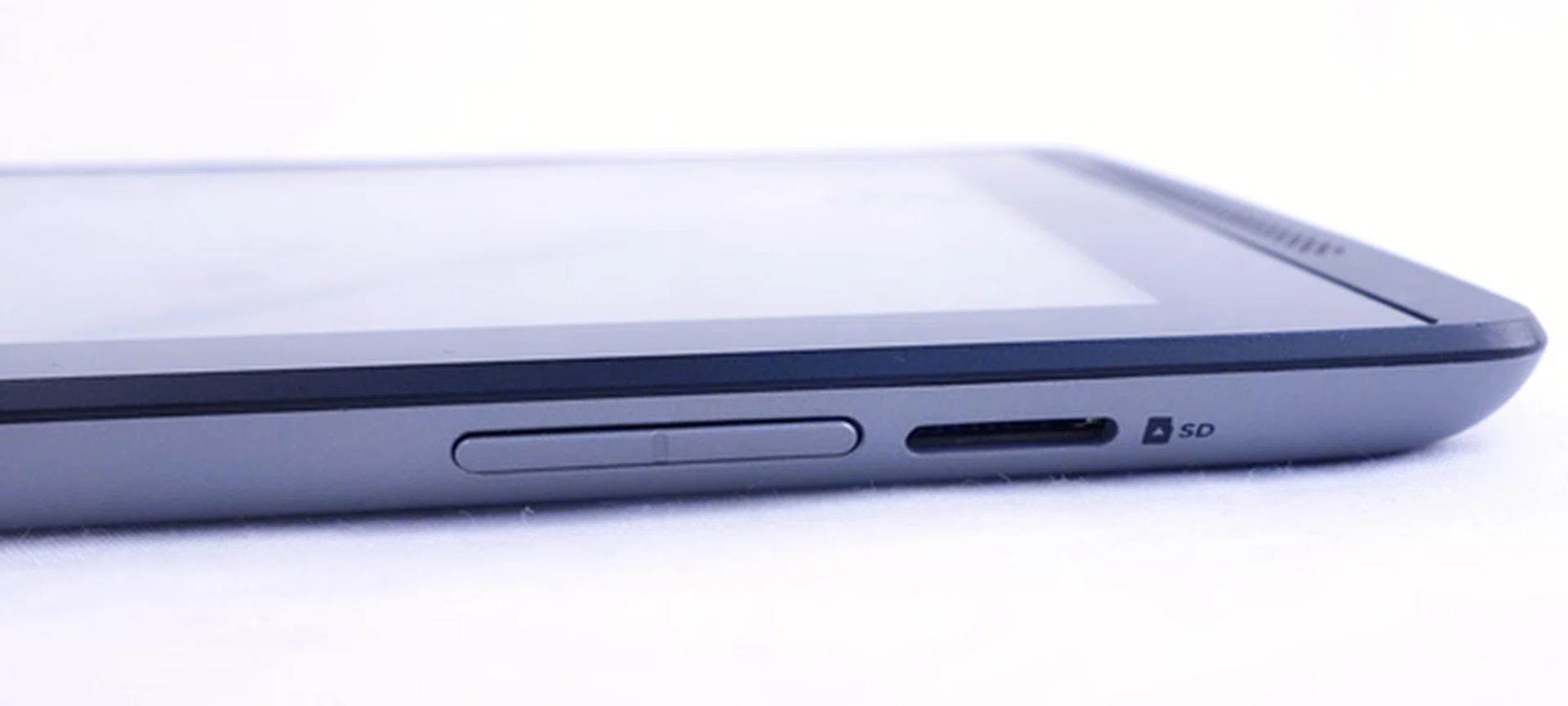
The volume buttons are raised above the body of the device and provide decent tactile feedback.
At the bottom left of the device (when turned on its back) is the slot for keeping the stylus. Besides NVIDIA's Tegra Note reference tablet, the Slate 7 Extreme is the first 7-inch OEM tablet to come bundled with a stylus. Samsung is the other Android vendor to bundle styluses for its tablet devices, but they are only supported on the 8-inch, 10.1-inch and 12.2-inch form factors.
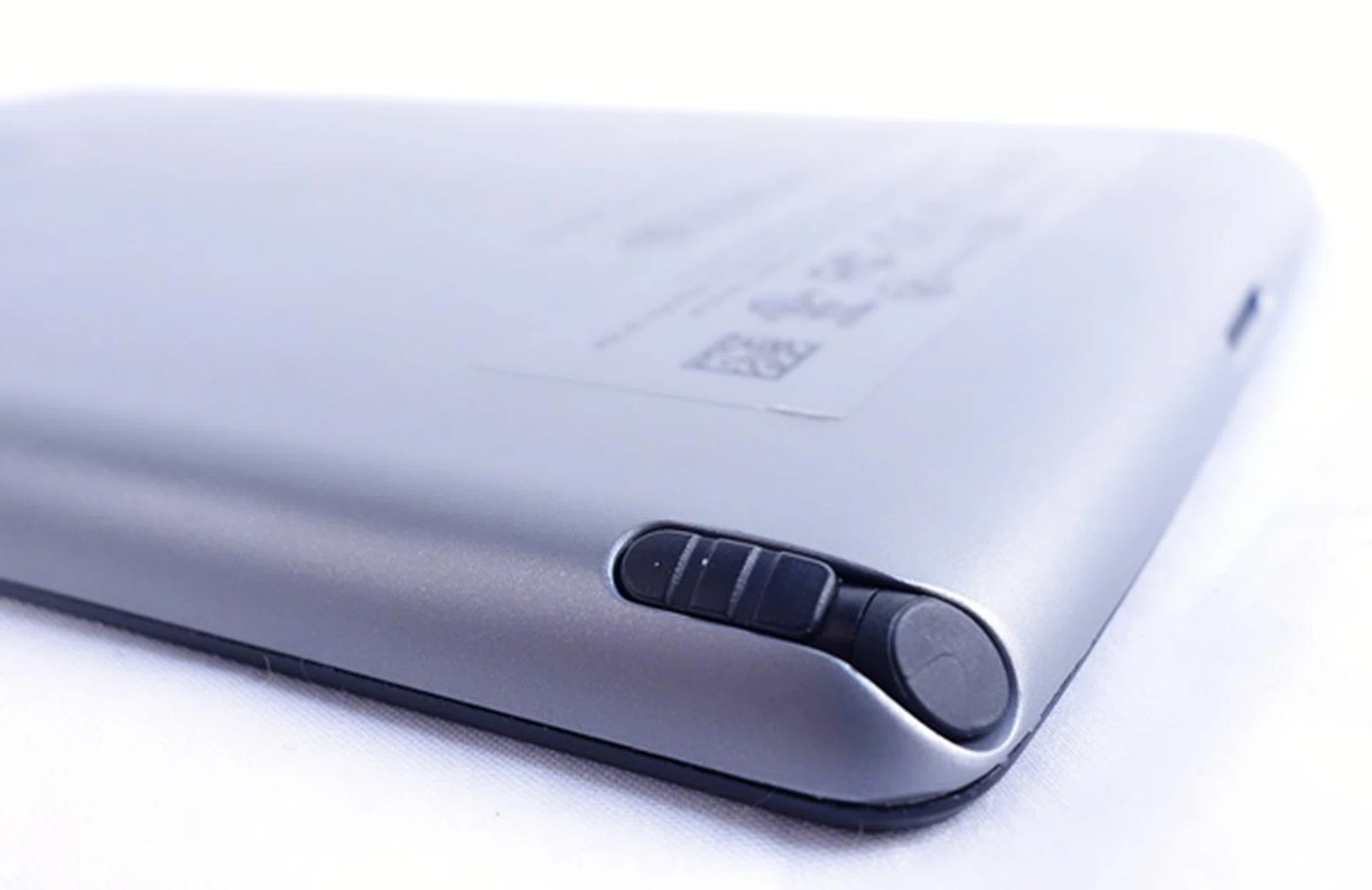
Besides NVIDIA's Tegra Note 7 reference tablet, the HP Slate 7 Extreme is the only other 7-inch tablet to come with a stylus.
Hardware and Software Features
7-Inch IPS Display
The 7-inch display is nothing to shout about; it comes with a resolution of 1,280 x 800 pixels which is considered the norm for tablets these days. The Nexus 7 (2012) sports a similar display resolution and it would have been better if HP or NVIDIA bumped up the resolution a notch.
Compared to the Full-HD display (1,920 x 1,200 pixels) of the Nexus 7 (2013), the Slate 7 Extreme is lacking in comparison due to its slightly pale and washed out colors, which is in addition to the difference in screen sharpness. To be fair, we couldn't have asked for anything more at a price point of just S$299 and a higher resolution display would have a negative impact on the battery mileage.
Under the hood are some nifty features that you might want to take note. First and foremost, the Slate 7 Extreme has a color correction preset in the Display settings where you can switch between sRGB and native to have more consistent colors. However while in our use, we didn't notice significant differences when switching between the two color profiles.
Secondly, NVIDIA included the Tegra PRISM Dynamic Backlight toggle in Power Saving settings where you can enable it to adjust the display backlight dynamically for better power efficiency.
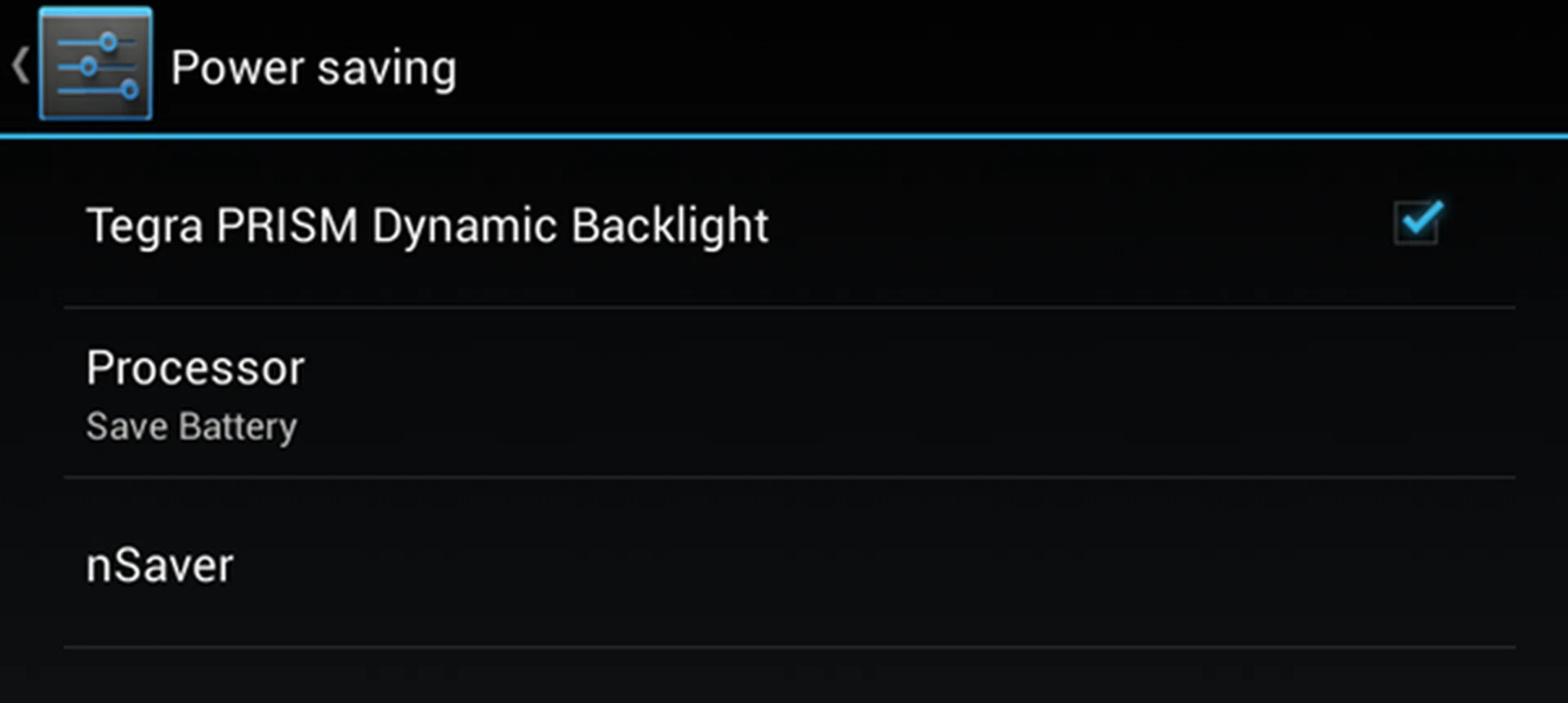
Tegra PRISM Dynamic Backlight is one of the power-saving features you can enable on the HP Slate 7 Extreme.
DirectStylus - A Different Implementation
First demonstrated at Computex 2013, NVIDIA took a different approach to stylus input on mobile devices today. While most mobile devices such as the Samsung Galaxy Note 3, Galaxy Note 10.1 2014 Edition and Toshiba Excite Write use an integrated digitizer and active stylus, NVIDIA's DirectStylus relies on a passive stylus and the imaging processing power of the Tegra 4's GPU to analyze data from touch input.
According to NVIDIA, DirectStylus works together with Direct Touch 2.0 technology which supports up to 300 scans a second (five times the typical 60Hz touch scan rate) to capture more detailed movement of the stylus for smooth ink and fine tip movement.
NVIDIA - "The result is the first low-cost screen stylus that replicates the natural ease of writing – and erasing – directly on paper. NVIDIA DirectStylus technology applies the image-processing power of Tegra 4’s GPU to analyze data from a standard touch sensor and recognize the difference between fine-tip stylus, finger, eraser and palm. The result: Users can write on the screen using a simple passive pen and its opposite end can be used like an eraser, whose unique touch pattern can be differentiated from drawing strokes."
NVIDIA CEO Jen-Hsun Huang claims this technology is able to "reduce the cost of the stylus from US$20 for digital stylus to zero". This could potentially mean that there could be more mobile devices with stylus input in the near future if manufacturers hop on to the NVIDIA Tegra 4 bandwagon. Indeed, the HP Slate 7 Extreme is enough evidence of this possibility.
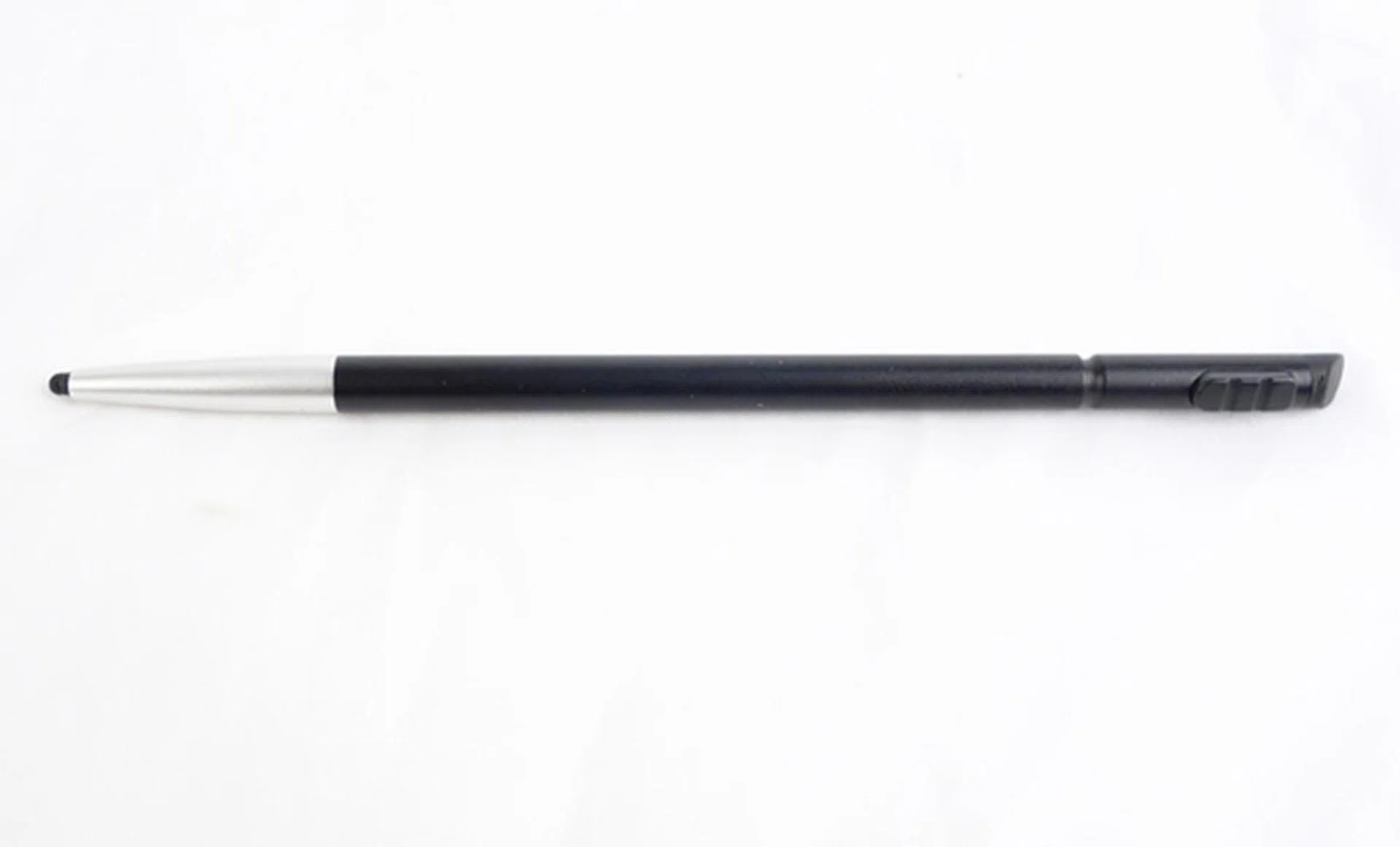
The stylus feels comfortable to use. It is neither too heavy nor too light for daily use.
As DirectStylus is integrated into the architecture of Tegra 4, it is manufacturer-agnostic which means that manufacturers using Tegra 4 in their devices have the choice to decide whether to implement this feature. You can refer to the below video to see a preview of how the technology works:-

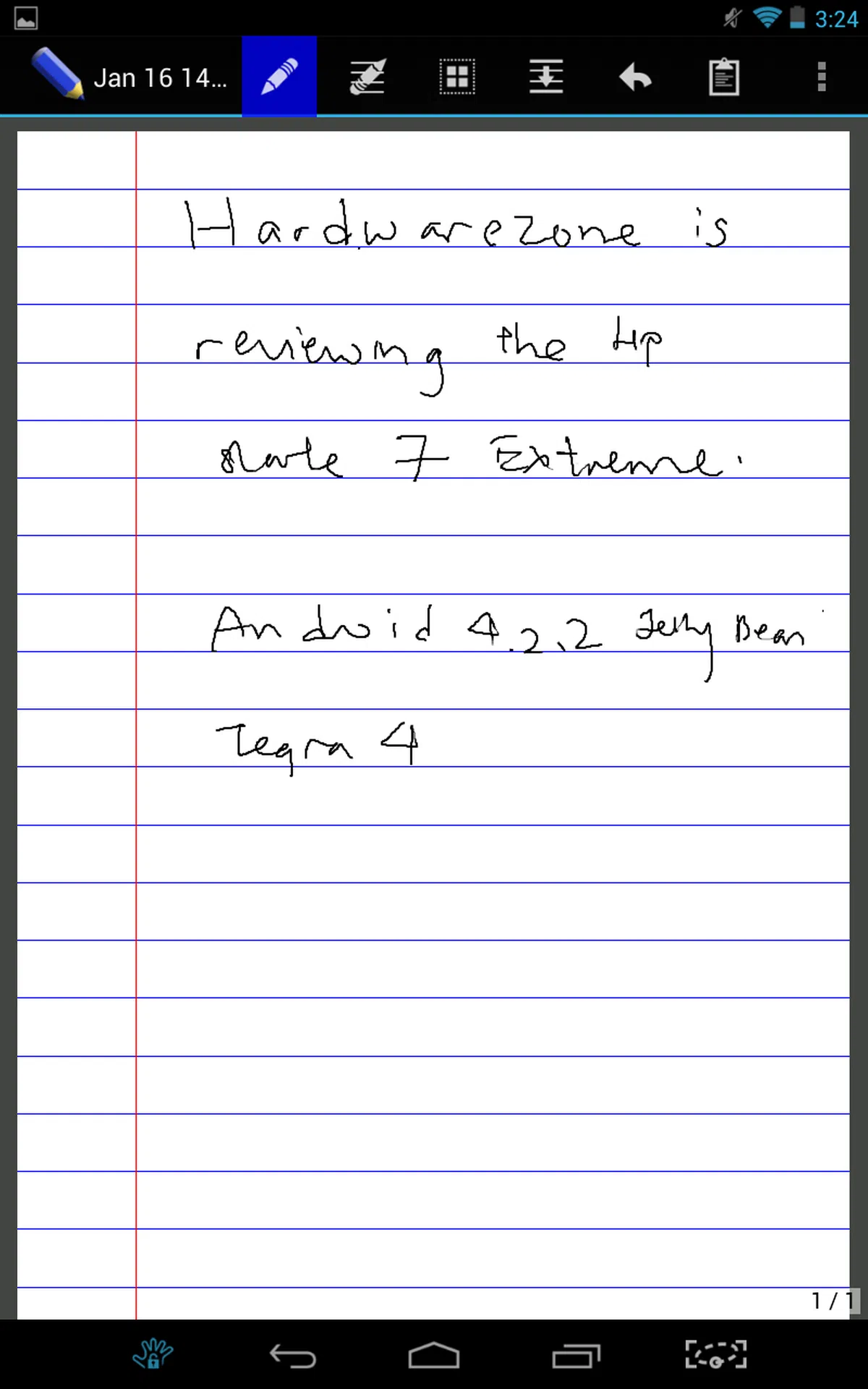
We used the stylus over a few days and found the user experience to be almost similar to that of the Samsung Galaxy Note devices and Toshiba Excite Write. We had no issues with note-taking, drawing or scribbling.
There are two apps developed for use with the stylus - the Tegra Draw and Write. As the names suggest, one is a drawing app with an extensive range of tools while the other is a basic note-taking app.
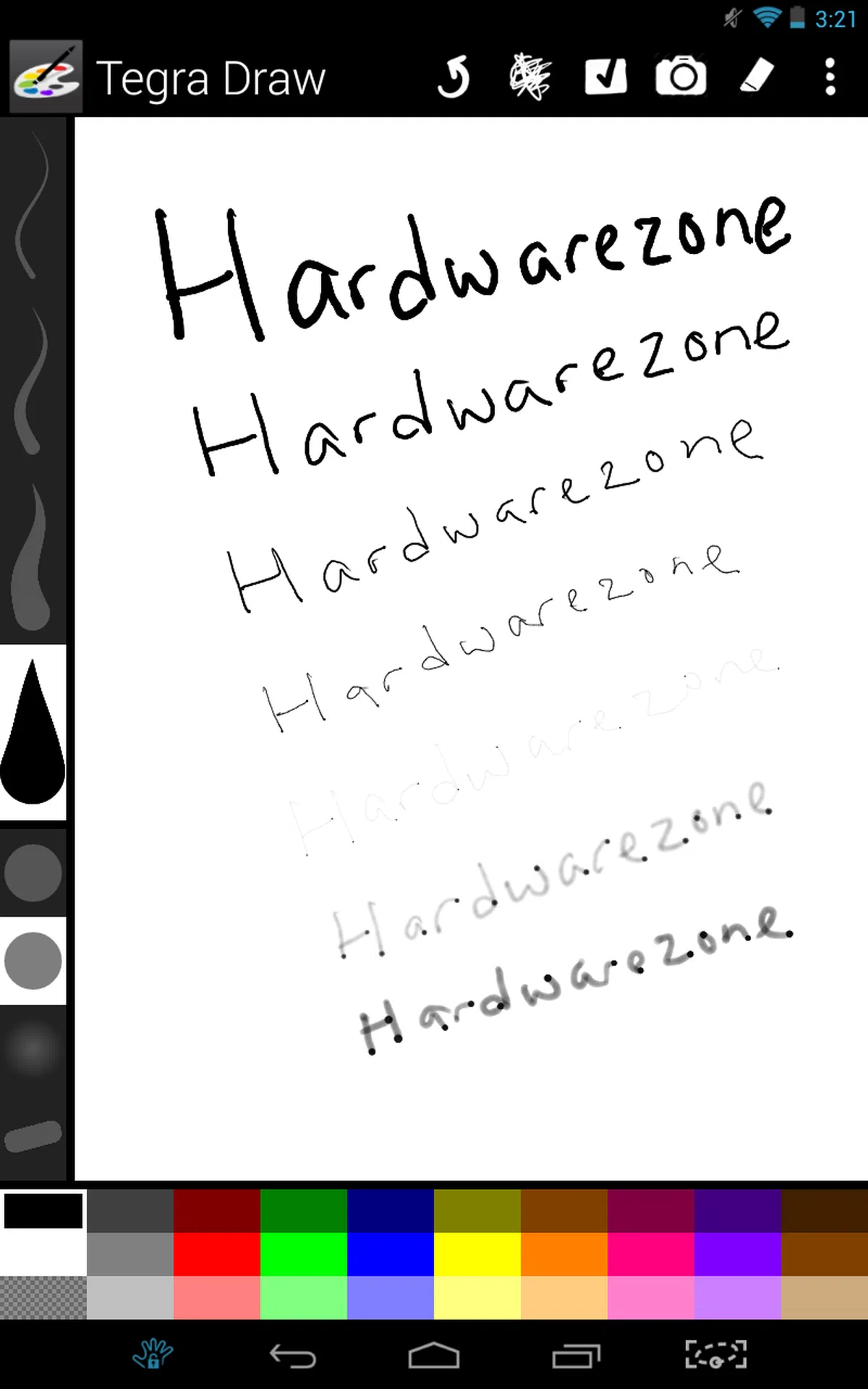 |  |
Android 4.2.2 Jelly Bean
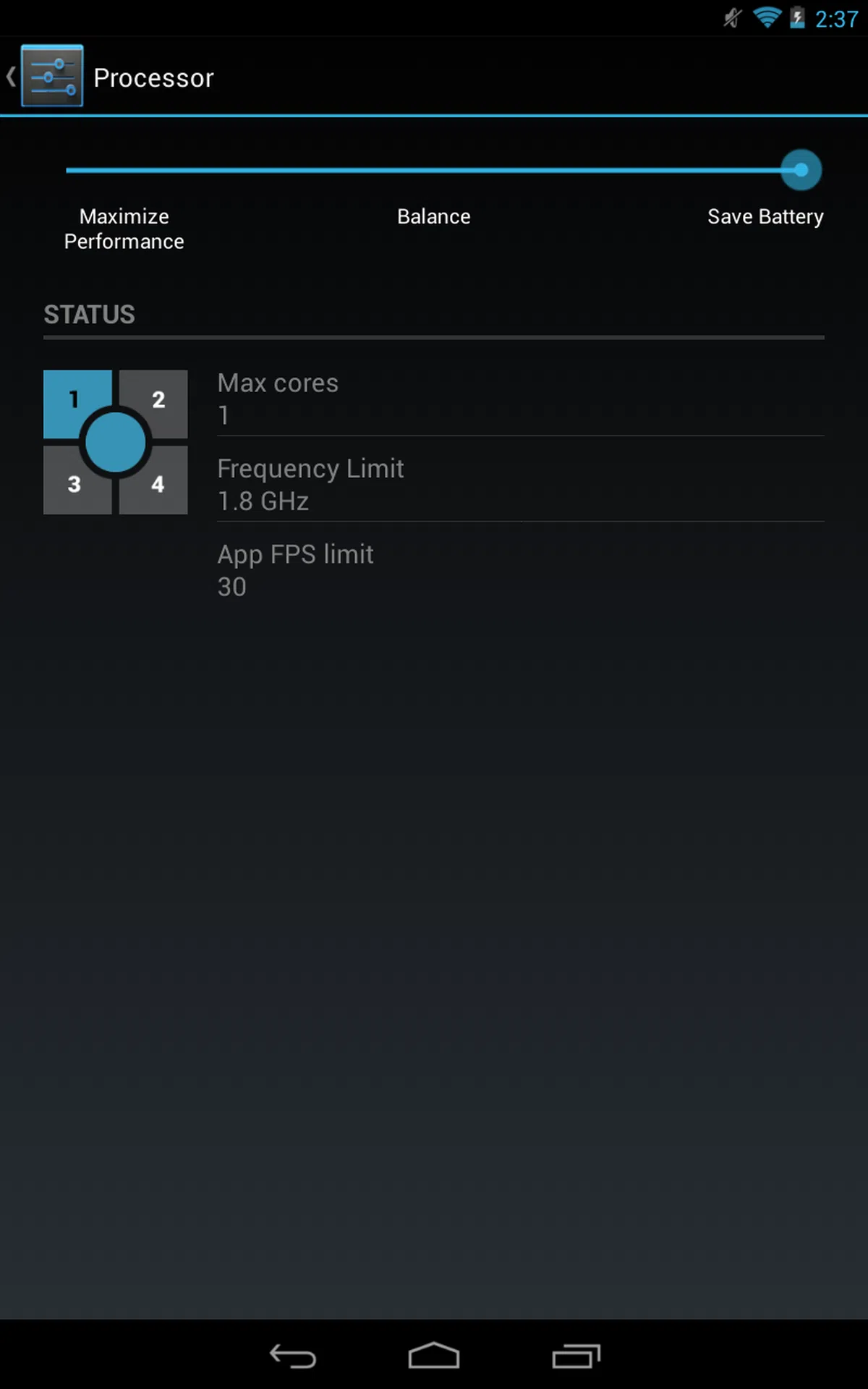
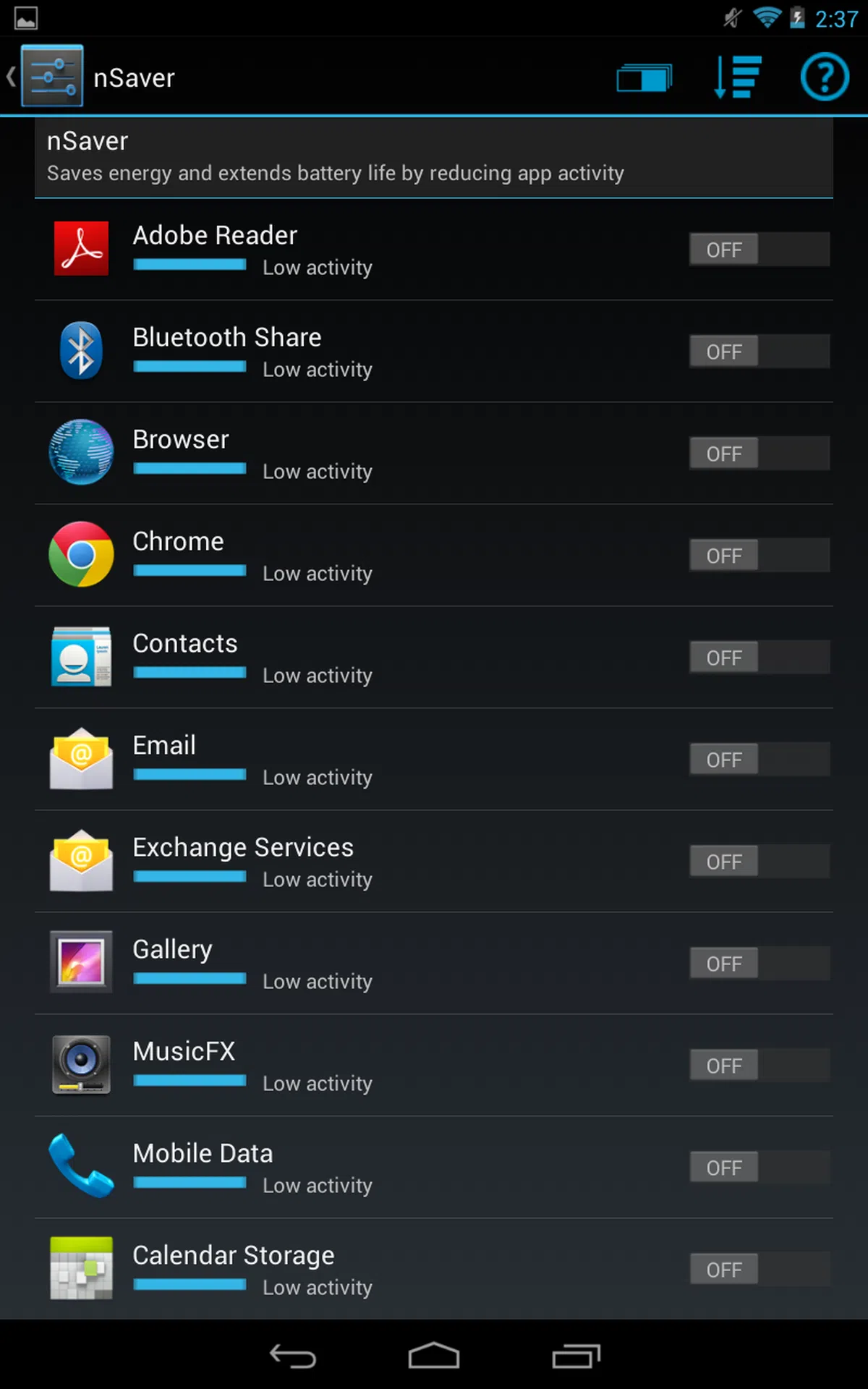
The Slate 7 Extreme is powered by Android 4.2.2 Jelly Bean and sports some customized software features such as the two stylus-optimized apps and three power-saving features.
The first is the Tegra PRISM Dynamic Backlight toggle, which is discussed earlier in the article. The second is a toggle setting where you can configure the processor to run at maximum performance mode, balanced mode or battery saver mode. The third power-saving feature is called nSaver, which allows you to reduce the activities of selected apps so that the battery life is extended.
 |  |
Performance Benchmarks
The Slate 7 Extreme is easily one of the most powerful 7-inch tablets in the market with the NVIDIA Tegra 4 quad-core 1.96GHz processor and 1GB RAM.
The other Tegra 4-powered devices that we've reviewed are the ASUS Transformer Pad TF701T, Toshiba Excite Write and the HP Slatebook. We had two previews of its capabilities at CES 2013 (web browsing and computational photography) and MWC 2013 (benchmarks and low power consumption).
Since the above mentioned list of Tegra 4 devices are either high-end or larger sized devices, we will be comparing the performance of the Slate 7 Extreme against its current competition which include the ASUS MeMO Pad HD 7, Google Nexus 7 (2013) and Samsung Galaxy Tab 3 (7.0). In addition to these, the benchmark results of the Apple iPad Mini with Retina Display and other Tegra 4 devices will be highlighted occasionally as reference points.
Quadrant
Quadrant is an Android OS benchmark that evaluates a device's CPU, memory, I/O and 3D graphics performance.
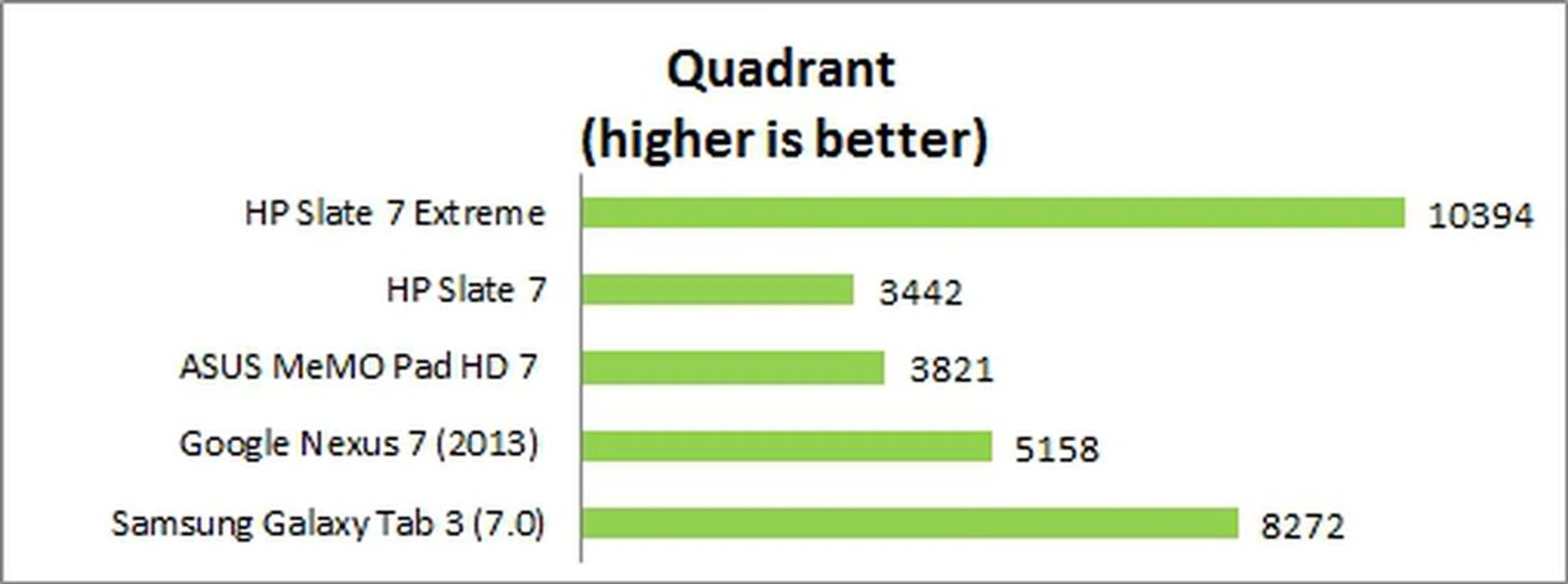
Having one of the fastest processors helped the Slate 7 Extreme clinch the top spot in the Quadrant benchmark against its immediate competitors. As points of comparison, the Transformer Pad TF701T has a score of 18,703 and the Excite Write achieved a score of 11,441. With different results across the board, we reckon the reasons could be due to different optimizations and display sizes.
3DMark 2013
Originally developed as a PC benchmarking tool, 3DMark is now expanded to support multiple platforms including Android OS. The Ice Storm benchmark is designed for smartphones, mobile devices and ARM architecture computers.
For an in-depth understanding of 3DMark for Android, do head over to our article, "3DMark - Android Device GPU Performance Review." In a nutshell, 3DMark consists of two test sections:
3DMark Ice Storm Extreme raises the off-screen rendering resolution to 1080p and uses higher quality textures and post-processing effects to create a more demanding load for the latest smartphones and tablets.
3DMark Ice Storm Unlimited uses off-screen rendering resolution at 1080p, higher quality textures and post-processing effects to create a more demanding load for the latest smartphones and tablets. It also disables vertical sync, display resolution scaling and other operating system factors affecting the result, thus making it ideal for chip-to-chip comparisons of different chipsets.

The Slate 7 Extreme maintained its lead over the competition in the 3DMark benchmarks although the Nexus 7 (2013) isn't very far behind. In comparison, the Transformer Pad TF701T scored 9827 and 12,346 in the respective benchmarks while the Excite Write has scores of 7993 and 10,002. Outside of the Android camp, the A7-powered Apple iPad Mini with Retina display attained a Ice Storm Unlimited score of 14,268. So it looks like the HP Slate 7 Extreme ranks very well for gaming needs.
SunSpider Javascript
SunSpider Javascript measures the browsing performance of a device. It not only takes into consideration the underlying hardware performance, but also assesses how optimized a particular platform is at delivering a high-speed web browsing experience.
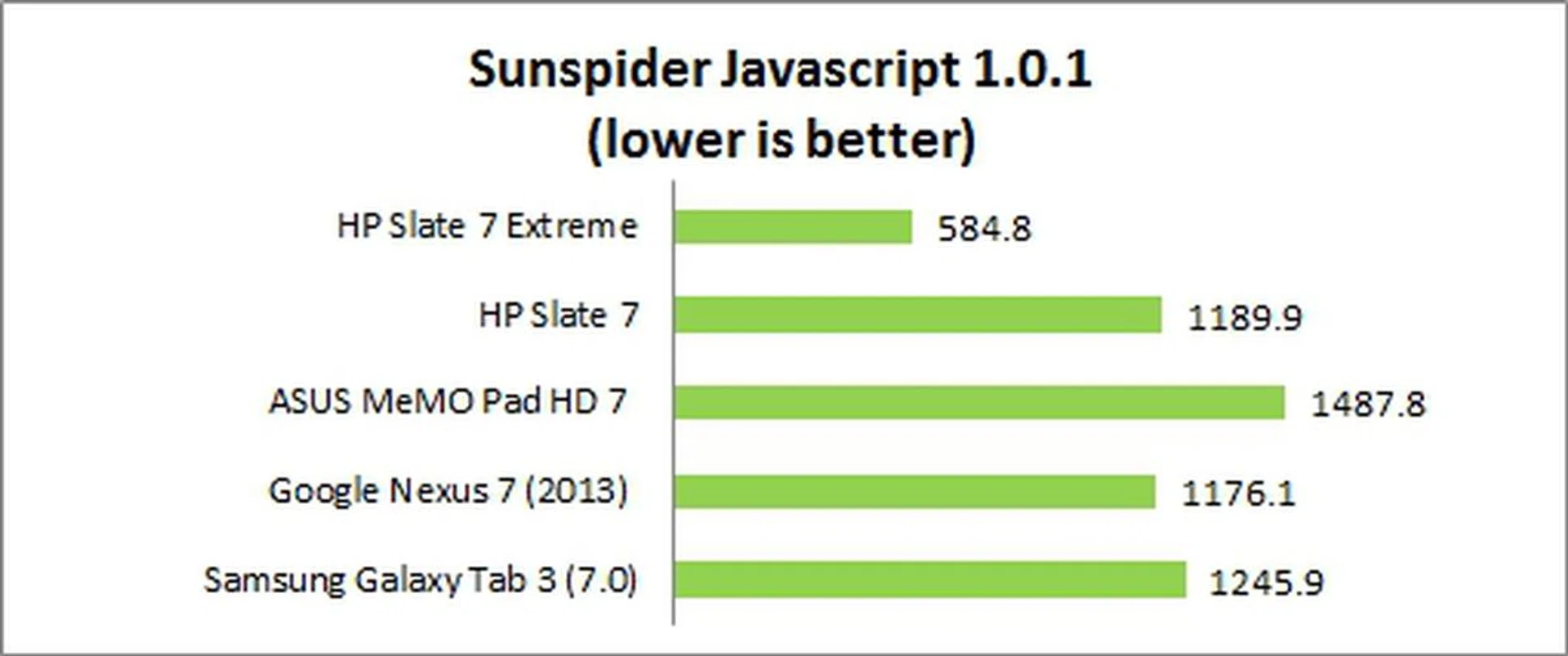
Not surprisingly, the Slate 7 had one of the best SunSpider Javascript scores we've seen recently. None of its competitors completed this test under 1,000ms. Surprisingly, the ASUS Transformer Pad TF701T and Toshiba Excite Write lagged behind with results of 637ms and 843.3ms respectively. Only the iPad Mini with Retina display beat the Slate 7 Extreme with a better score of 419.8ms.
Number crunching aside, the user experience was generally smooth. We encountered no lags when opening apps and browsing the Internet. Web pages zoomed in and out without any noticeable lag too.
Camera Performance
The Slate 7 Extreme is equipped with a 5-megapixel rear autofocus camera and a 0.3-megapixel front-facing camera. Since tablets generally don't fare well in their good imaging capabilities, we approached the Slate 7 Extreme with lower expectations. Even so, the HP tablet gravely disappointed us.

The image quality is one of the worst we've seen from a tablet. Details are murky and there's a dreamy feel to the whole picture, while noise is very apparent even in normal lighting conditions.
Battery Life
Our standard battery test for tablets includes the following parameters:
• Looping a 720p video with screen brightness and volume at 100%
• Wi-Fi and Bluetooth connectivity turned on
• Constant data streaming through email and Twitter

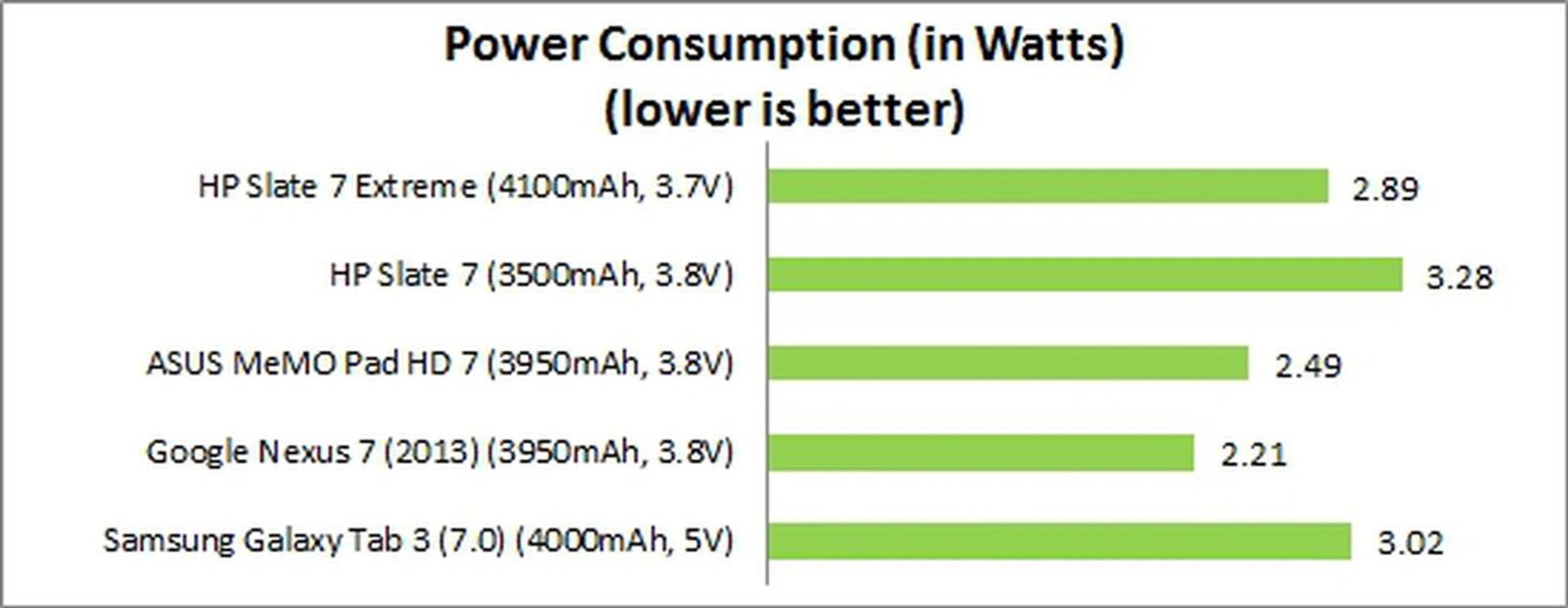
The Slate 7 Extreme lasted 5 hours and 15 minutes in our standard battery test (with all its power saving features disabled). Despite having the biggest battery capacity among the comparisons, the Slate 7 Extreme ranked second last in battery mileage (despite it's massive improvement over the old Slate 7).
The Nexus 7 (2013) could last one and a half hours longer despite having a higher resolution display and a slightly smaller battery capacity. In the Power Consumption chart, the Slate 7 Extreme registered the third highest power draw after its predecessor and the Galaxy Tab 3 (7.0).
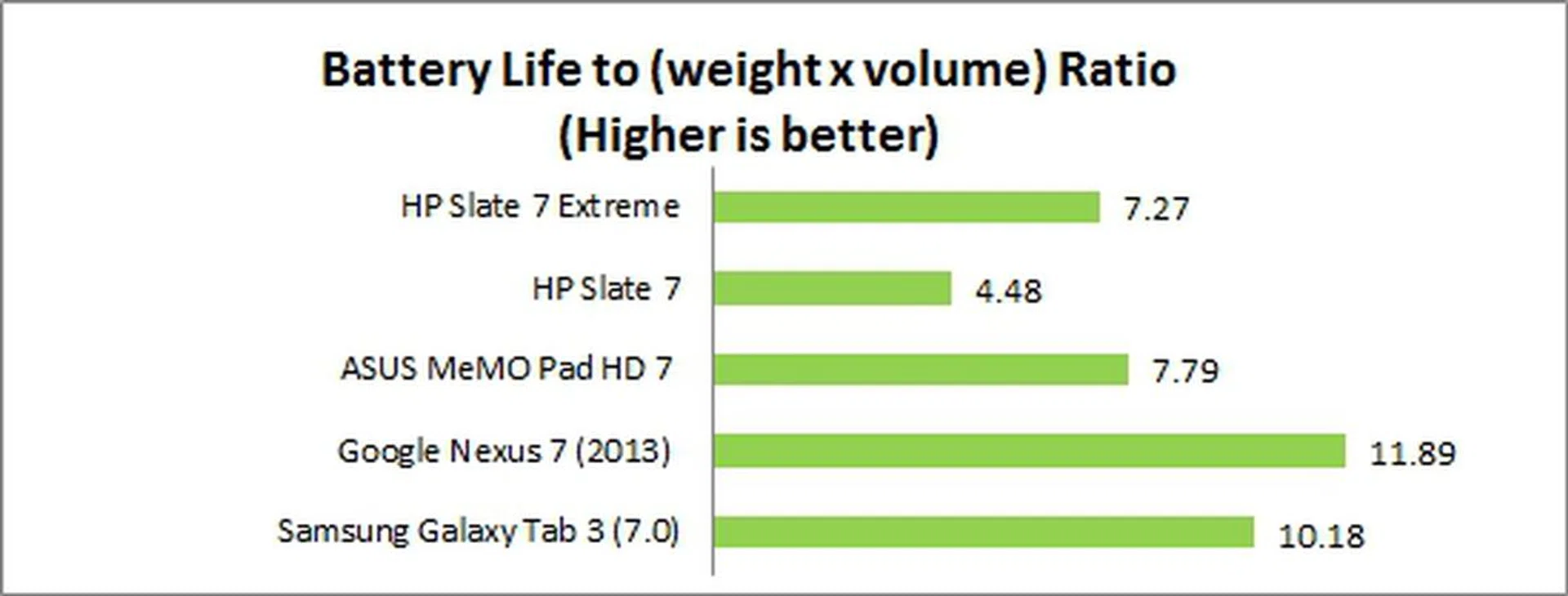
In our Portability Index where where each device is assessed on its ability to balance battery mileage against its size and mass, the Slate 7 also ranked second last due to its weight and below average battery mileage.
Under normal usage conditions, we found that the Slate 7 Extreme could last more than a day of web surfing, gaming and replying of emails.
Conclusion
Priced at S$299, the HP Slate 7 Extreme is a recommended buy for consumers who are looking for a more portable tablet with built-in stylus than the current choices offered by the competition. Its stylus-optimized apps may not be as extensive and feature-packed as Samsung, but they should meet the needs of the mainstream consumers who just need a tablet to take down notes.
While the Slate 7 Extreme delivered an overall smooth experience, consumers should be wary of its poor imaging capabilities (if you rely on tablets for on-the-move imaging needs) and slightly below average battery performance especially if they plan on heavy multimedia consumption.
The Slate 7 Extreme has no direct competitor in its class, but the Nexus 7 (2013) is a compelling alternative if a microSD memory card slot and HDMI output is not necessary and getting the latest Android OS updates is important to you. The Nexus 7 (2013) also offers a higher resolution display and longer battery mileage. However, if you're looking for an overall all-rounder on a budget, the HP Slate 7 Extreme seems to be high on the list. The ASUS MeMO Pad HD 7 might be cheaper but its overall performance is inferior.
There is still much to be done by HP if it wants to make its presence felt in the tablet space, but the Slate 7 Extreme is a good step forward.
Our articles may contain affiliate links. If you buy through these links, we may earn a small commission.