
AVerMedia AVerLife HD Studio - Simple Does It
AVerMedia, a company known for its TV tuner cards, is no stranger to the digital media scene. How does its 1080p-capable AVerLife HD Studio network media player fare?

The Small Unassuming Gray Box
With the proliferation of Smart TVs, some might question the longevity of media players. However, not all of us own Smart TVs, or have TVs that can playback movies on USB drives. As opposed to dropping serious cash and spending enormous amount of time building a top-range HTPC, an off-the-shelf media player is without doubt the most economical alternative. Yet, in the current media market, there are so many brands and models to choose from. You've those priced on a budget and aimed at casual users who just want to playback a file they've downloaded from the Internet, to those decked with high-end components and designed to satisfy home theater enthusiasts.
AVerMedia, a company known for producing TV tuner cards and PC-to-TV converters, is certainly no stranger to the digital media scene. What we've here is the AVerLife HD Studio, a 1080p-capable network media player. Besides media playback, it also boosts Flickr, Picasa and Internet radio support. Let's take a closer look at what else it's capable of.
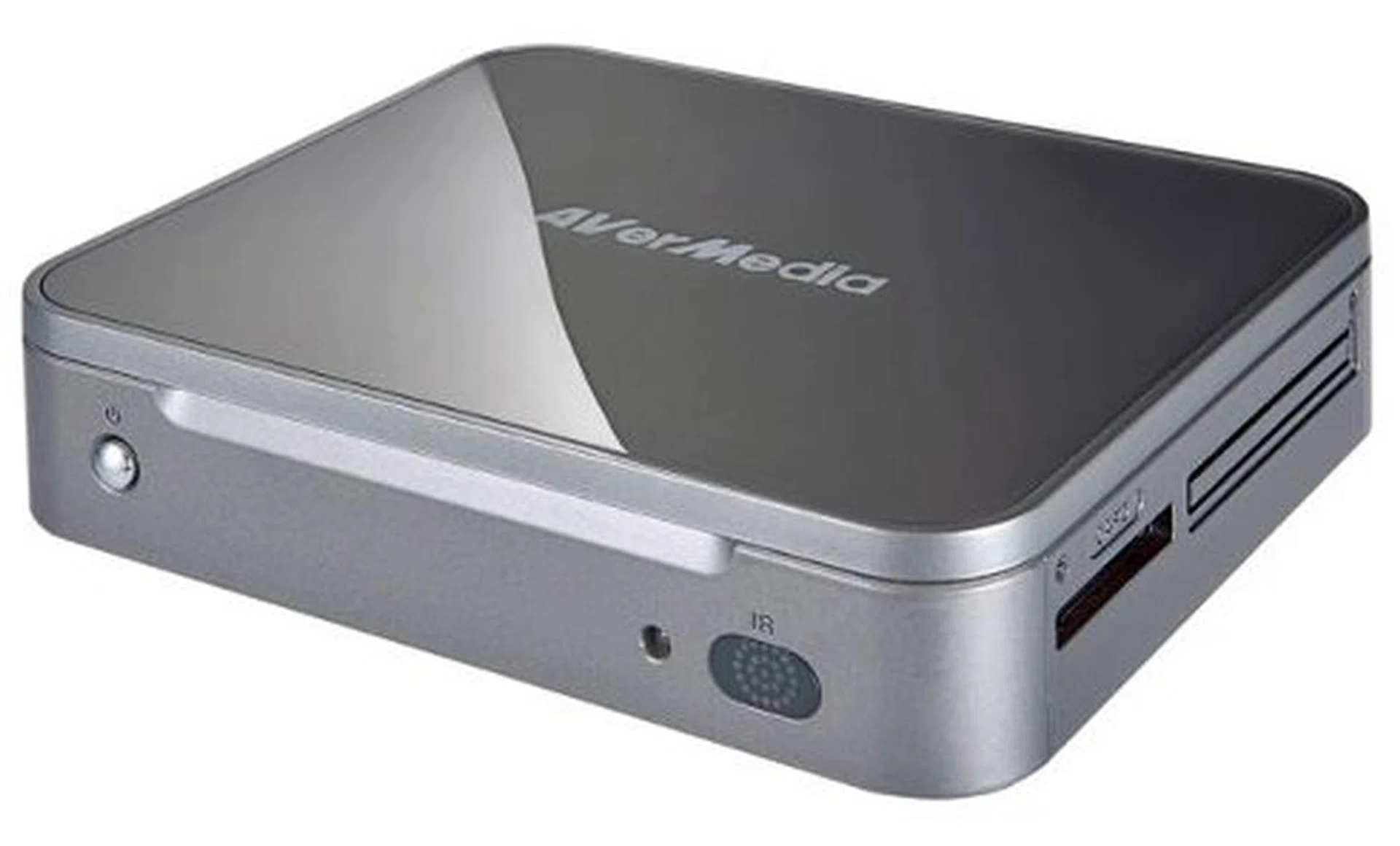
The AVerLife HD Studio is a small 1080p network media player.
Same Shape with a Different Coat of Paint
The AVerLife HD Studio sports a predictable boxy chassis, but is covered in a rather nice-looking brushed metal finish. While it might not blend in with your black A/V setup on the rack, it definitely won’t stick out like a sore thumb either. We like the matte surface too as that means less wiping and cleaning of dust and fingerprints. But on the other hand, the construction didn't feel particularly sturdy to us; it gave us a flimsy plastic feel. This is something that the Patriot Box Office didn't suffer from.
One thing that struck us when we unboxed the HD Studio was its size; it's probably one of the smallest media players we've come across in recent memory. Dimensions-wise, it's 12cm wide, 10cm long and 2.5cm tall. And since the HD Studio has no internal storage of its own, it is very light. Because of its small size, it doesn't come with a lot of I/O ports. But AVerMedia did manage to squeeze in a multi-card reader (for MS and SD/MMC cards).
The rear of the player sports a single HDMI port for digital video output and an optical jack (S/PDIF) for digital audio output. Due to the lack of space, instead of separate RCA jacks for composite video and analog audio, there's a single A/V jack. A quick check confirms that an AV cable comes supplied in the box.
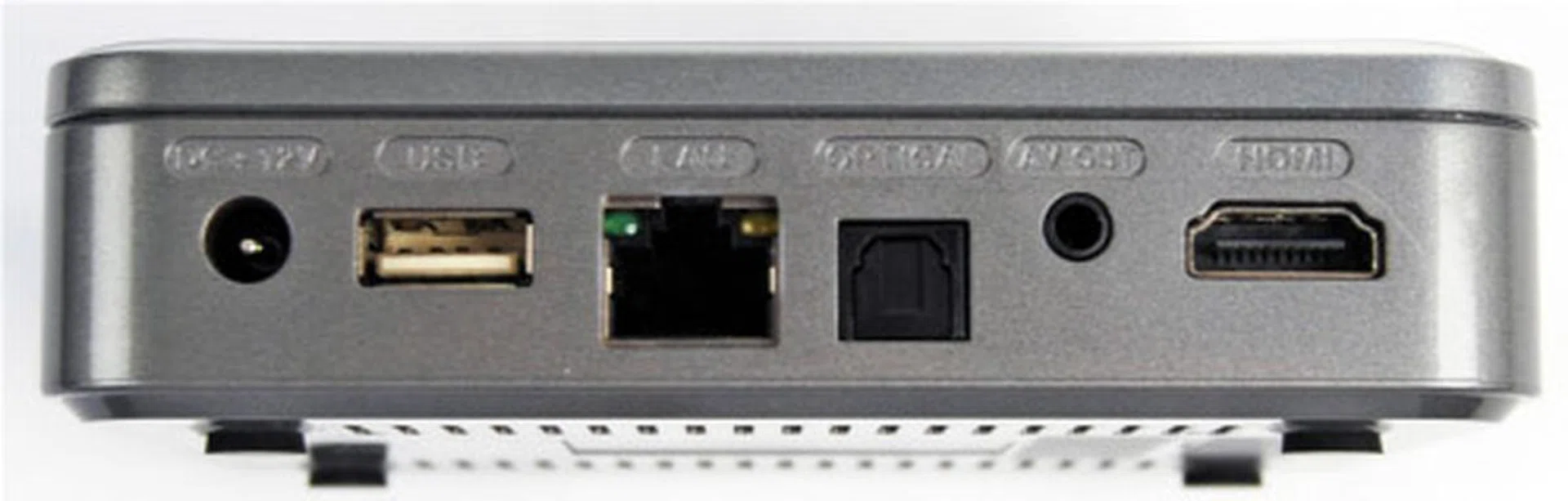
For I/Os, you get USB, Ethernet, S/PDIF, composite A/V and HDMI.
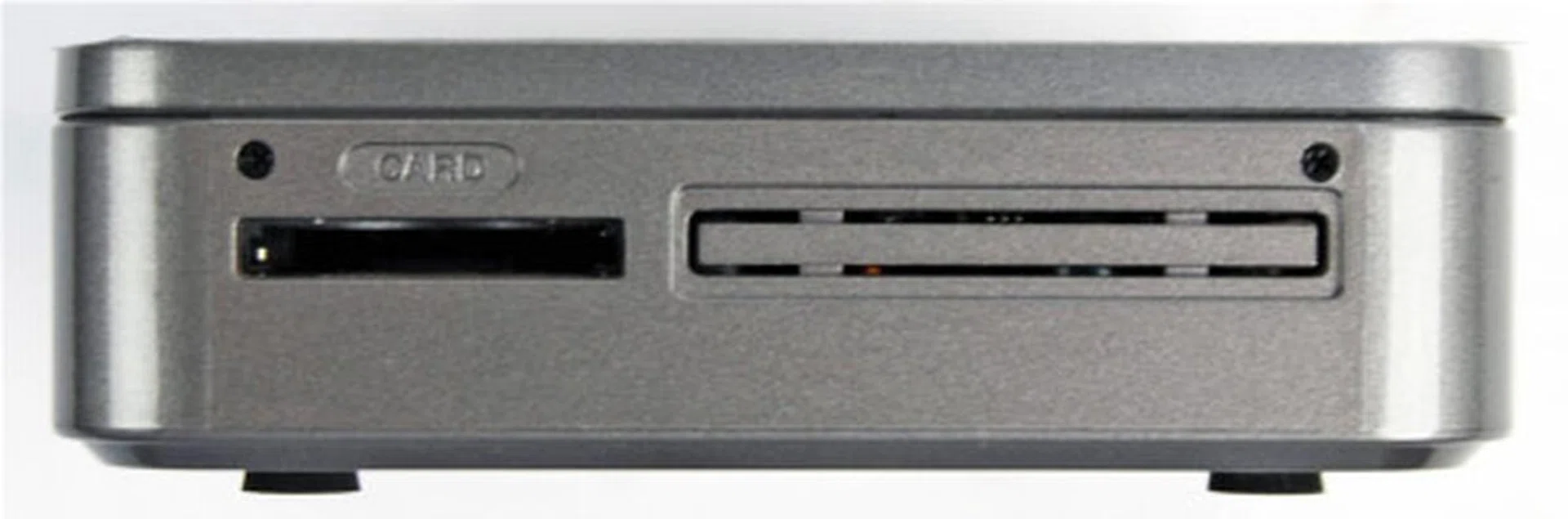
There's also a multi-card reader that supports Memory Stick and SD/MMC formats.
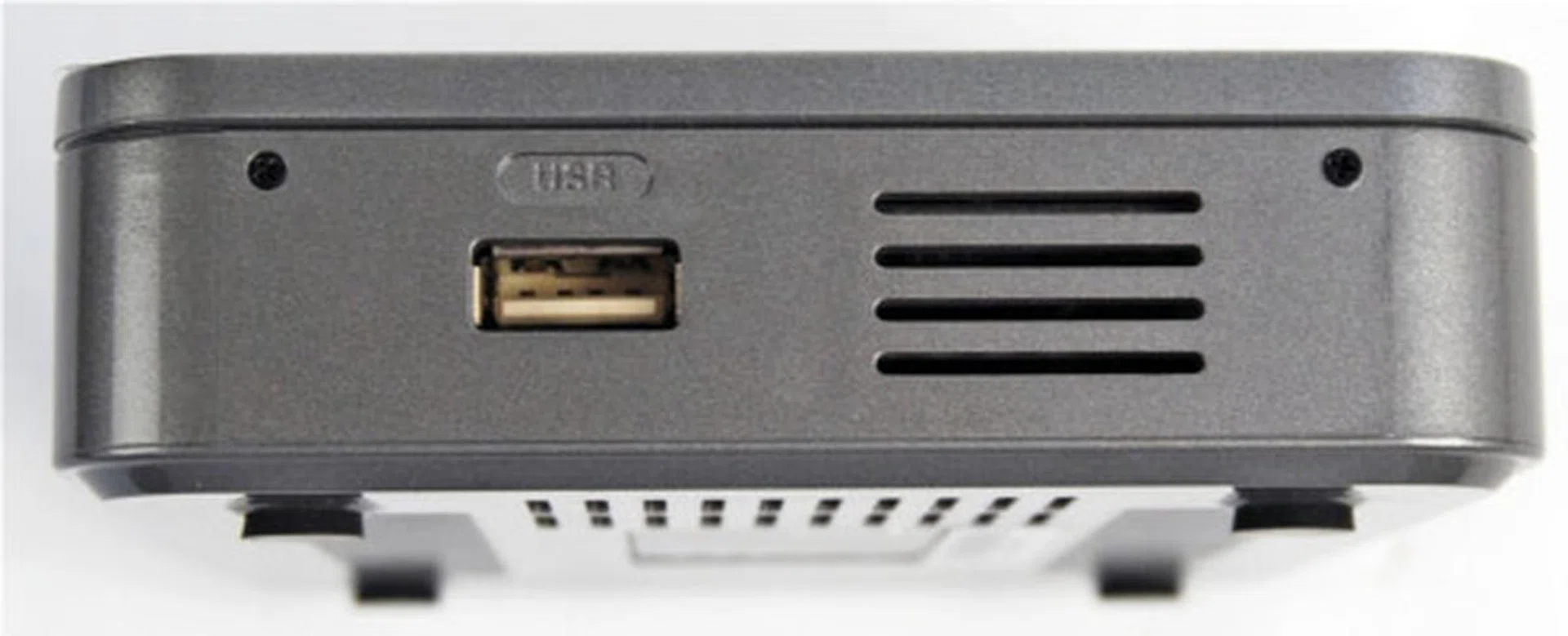
An additional USB port can be found at the side.
While the small size of the player did garner a positive response, the small size of the remote control however, hindered the overall experience. To be more specific, the small size of the remote means that the buttons have to be placed very close to one another. It also doesn't help that you need to exert a fair bit of pressure on the buttons to get them to register your presses. Also, we had to point the remote directly at the player for it to work.
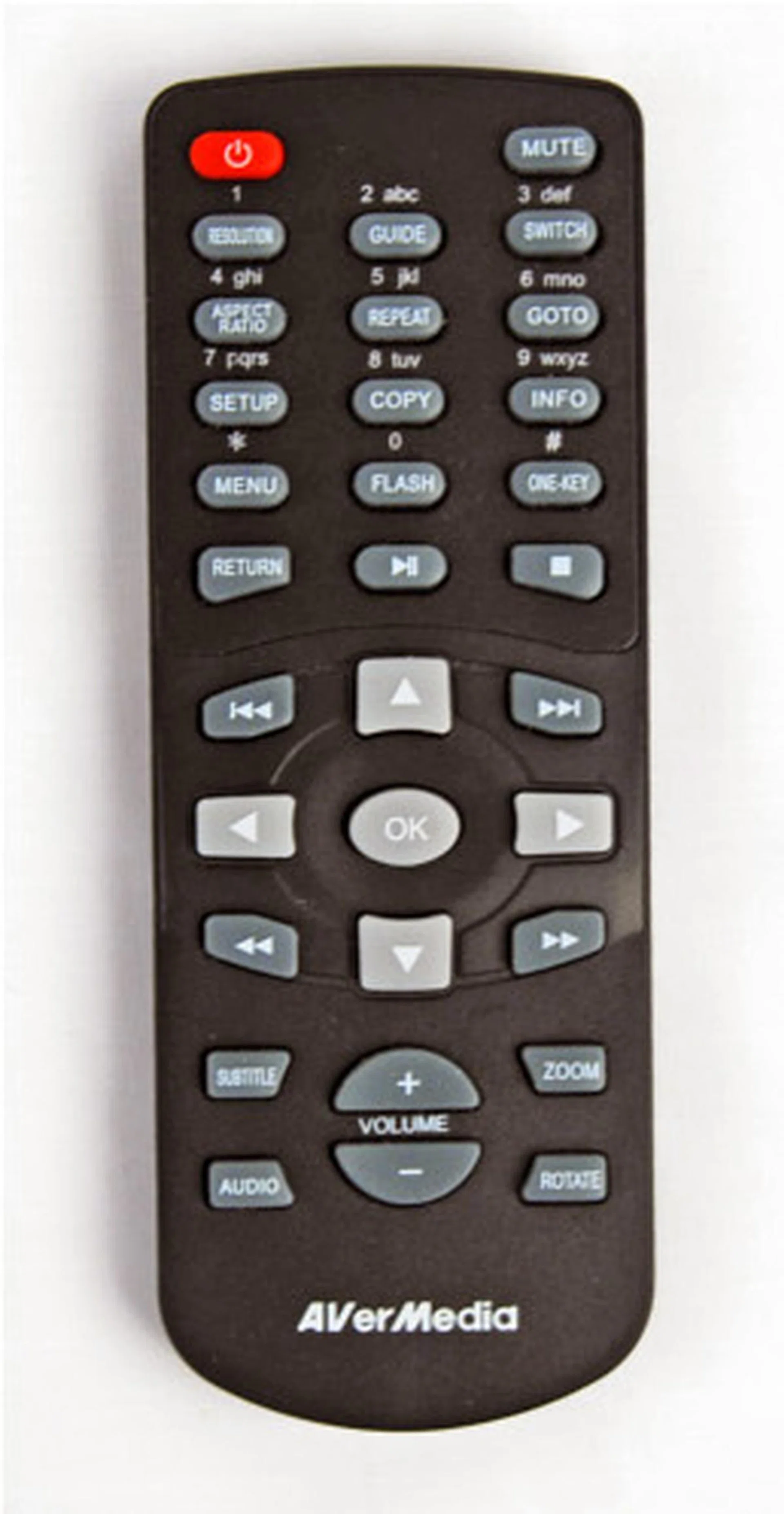
We found the buttons on the remote a tad small for our liking.
Exploring the Interface
AVerMedia has done a decent job with regards to the user interface (UI). It is responsive and very easy to understand. Once you start up the player, you will be brought to the home screen.
Navigating the home screen is made simple by the icon approach, which is quite the norm nowadays for media players. The black background helps to make the icons and menus stand out; and while not as attractive as the WD TV Live Hub’s UI, the HD Studio’s UI is clean and experiences lesser lag during navigation.
Due to its compact size, the HD Studio does not come with a hard drive, nor does it allow you to install one. Thankfully, it has two USB ports for you to connect USB hard drives (formatted in FAT32 or NTFS). We guess that’s the price to pay if you want the smallest media player possible. The HD Studio does allow you to tinker with its display and sound settings, among other things. For example, you can choose to output the video in 720p, 1080i or 1080p/60. And while there is an Info button that displays information about the video file that's currently playing, it is brief and basic - unlike the AC Ryan Playon!HD2, which provides information such as the codec the video is encoded in. The HD Studio also provides some extra options for accessing Internet content, though the options are much less than most of the players we reviewed recently. For instance, the inability to access YouTube is a glaring miss. On the plus side, it does support UPnP, so finding shared media content over the network is a breeze.
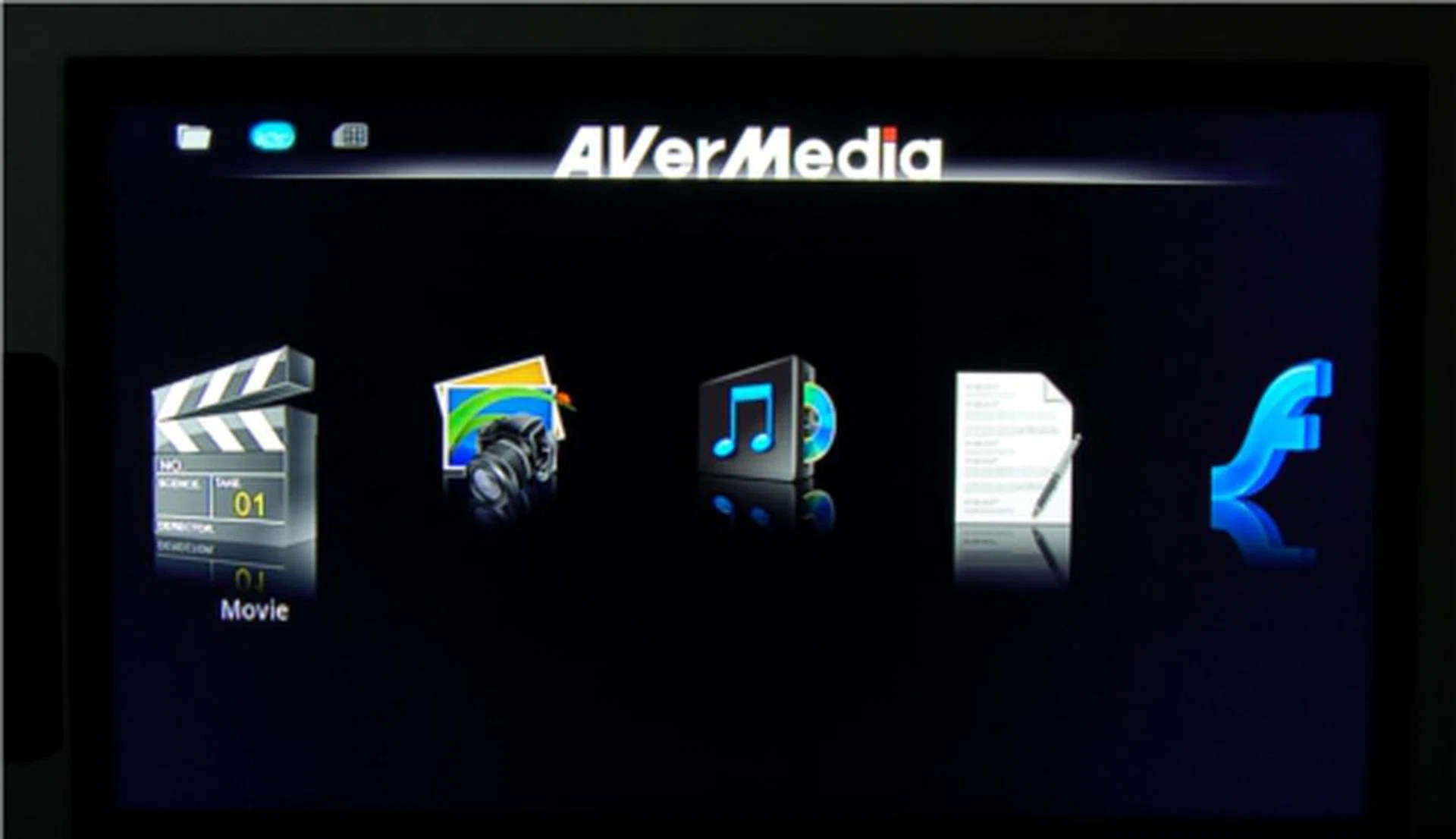
We like the clean and simple icon-based UI. The black background really helps to make the icons and text stand out.
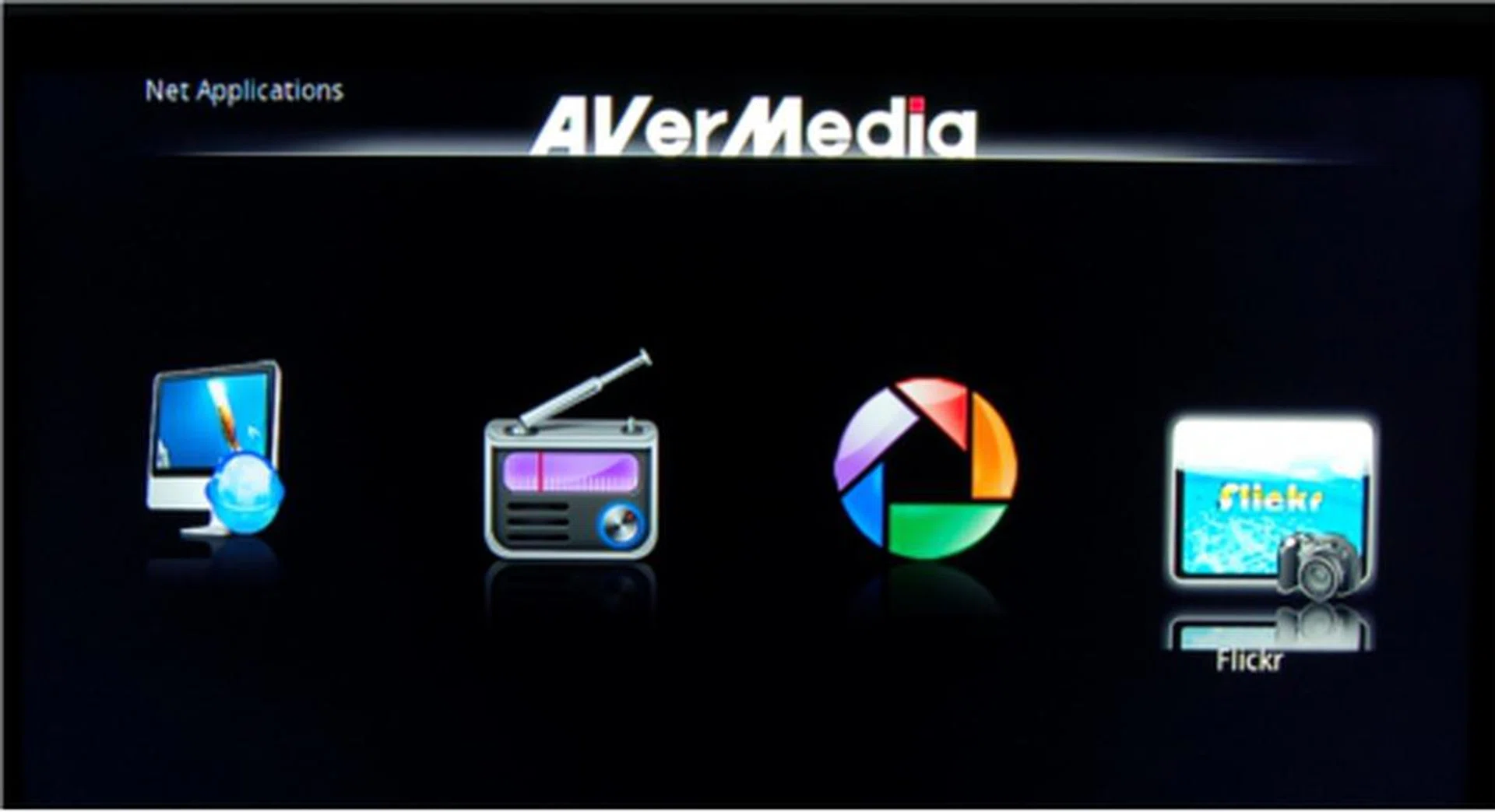
If you're looking for Internet content on YouTube, you'll be disappointed. You do get Flickr, Picasa and Internet radio though.
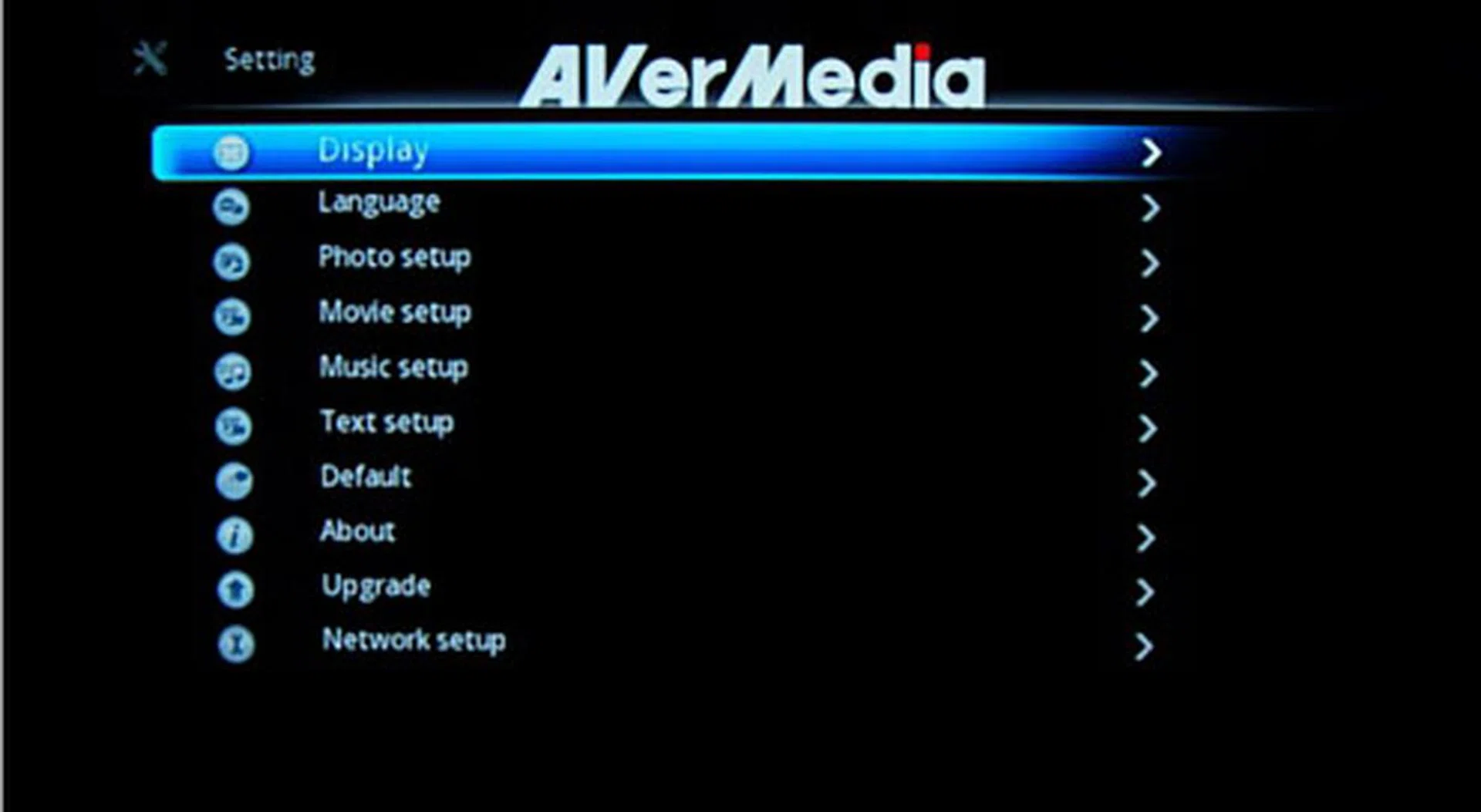
The Settings menu for the player does offer a bit more than what you'd expect from a budget player.
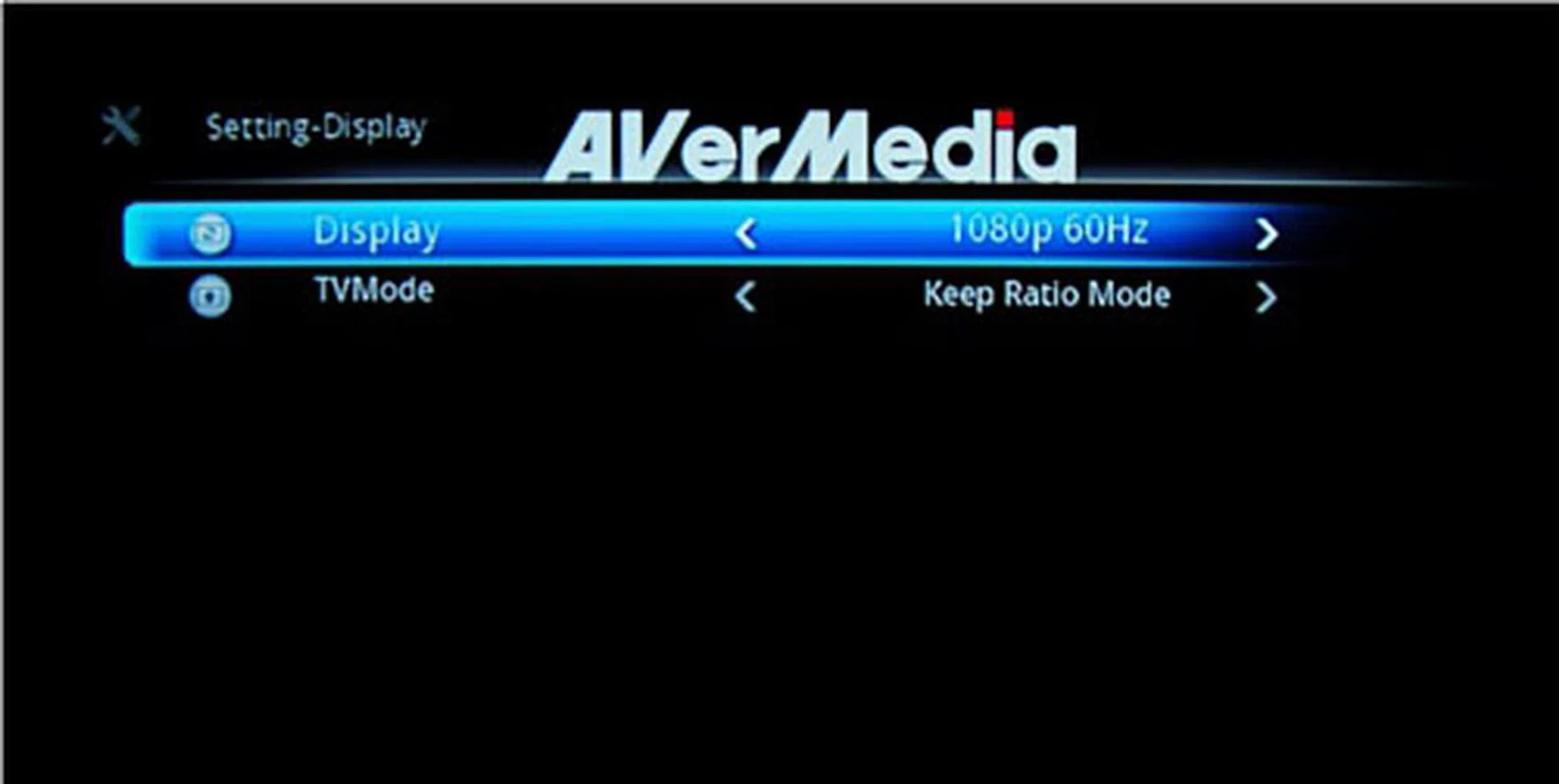
For HD resolution, you can toggle between 720p, 1080i and 1080p60.
The HD Studio Impresses (Almost)
The HD Studio has gotten nods of approval from us so far with regards to how easy it was for us to navigate the UI as well as its responsiveness. Now it's time to get tough on it to determine its video playback capabilities (we assume this is what you bought the player for).
First up, we tested the HD Studio on its format compatibility. Here's a list of supported video formats according to AVerMedia:
- MPEG1 (.dat, .mpg, .mpeg): Up to 20Mbps
- MPEG2 (.mpg, .mpeg, .vob): Up to 80Mbps
- MPEG4 (.avi - divx3,4,5,6, xvid, .mp4, .mov, .mkv): Up to 20Mbps
- H.264 (.mkv, .ts, .m2ts, .avi, .mov, .mp4): Up to 20Mbps
- Real Video (.rm, .rmvb): Up to 10Mbps (1280 x 800)
- Flash (.swf)
- DVD ISO, BD ISO
True enough, the HD Studio played every test clips we threw at it, with the exception of WMA and OGM video files (we aren’t too surprised as these two aren’t in the list to being with). In general, video playback was smooth, even for full-HD 1080p videos. We did notice that the start of the RMVB video had a slight stutter. But that only lasted for a couple of seconds. After that, the video loaded and played smoothly. Loading a BD-ISO did not stress the machine one bit either. The HD Studio handles typical home theater audio formats like Dolby Digital and DTS, but not Dolby TrueHD and DTS-HD Master Audio.

The H.264 encoded QuickTime video did not deter the HD Studio.
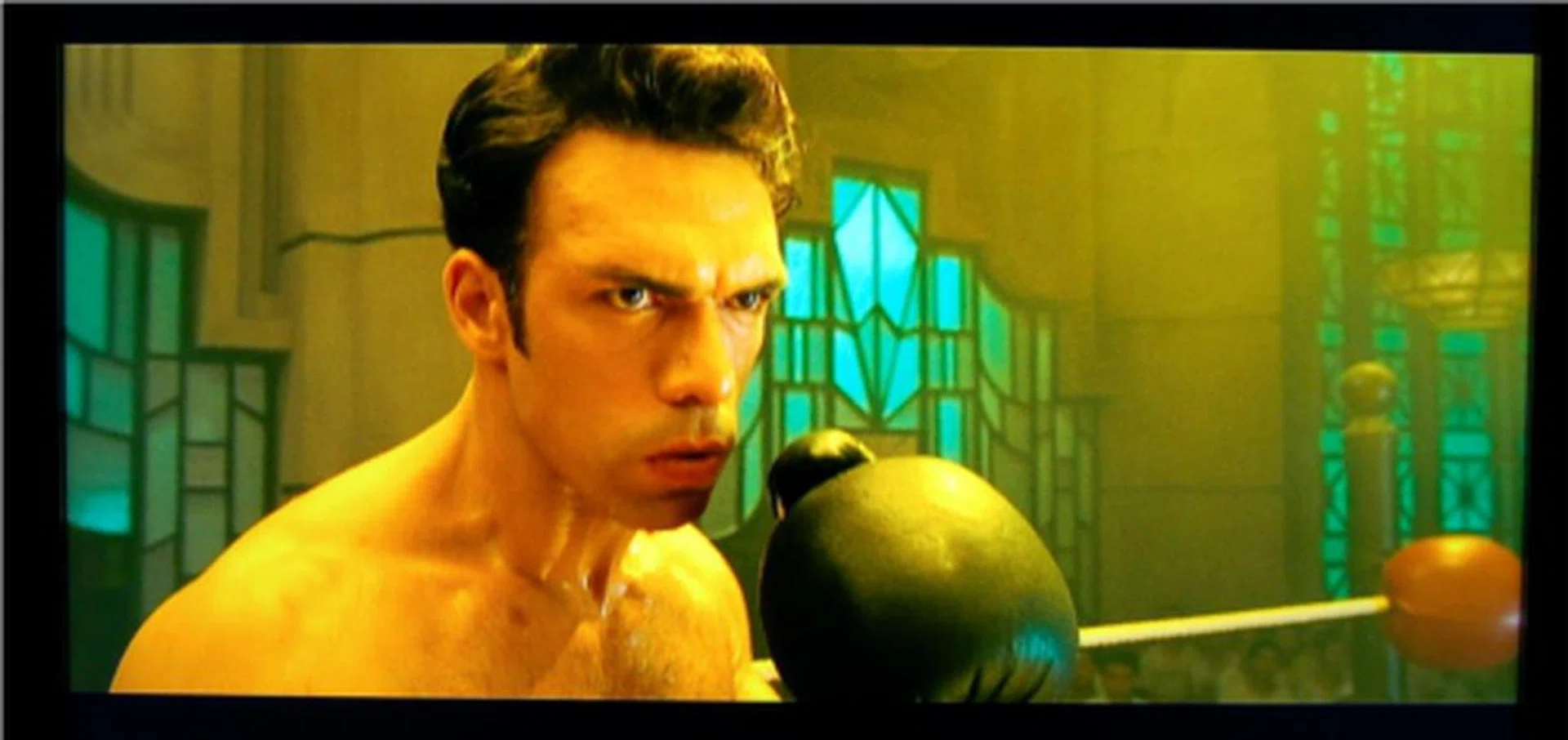
Blu-Ray ISO with bitrate as high as 30Mbps? No problem!
Ironically, one issue we had with the video performance had nothing to do with playback. Rather, it was the subtitles. No matter what option we toggled, be it the timing offset, the size or the position, nothing would get the player to display the full subtitles. Sentences would be cut off before being replaced with the next sentence, often leading us to make out the end of sentences ourselves. By the way, subtitle support is listed as SMI, ASS, SSA, SRT, SUB, SUB+IDX, and PGS.
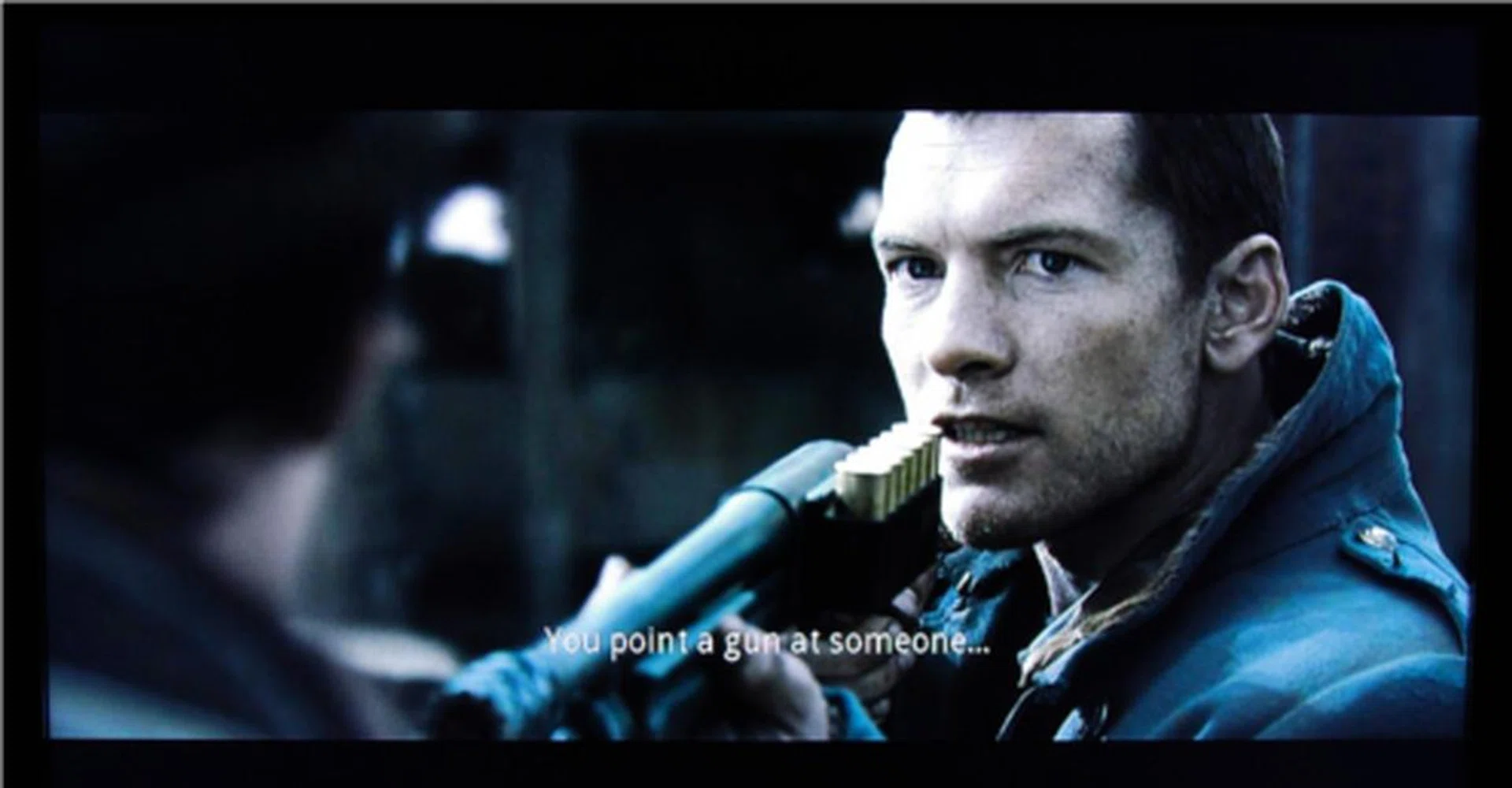
Regardless of options we tweaked, we never managed to get the player to display the full length of the subtitles.
Conclusion
As an entry-level HD media player we could not find any glaring faults with the AVerMedia AVerLife HD Studio. Considering that it's coming in at the more affordable end of the spectrum, we deem the feature set and format support made available to the user to be decent enough. Of course there are a few niggles that bother us: the remote is too small and the buttons, even smaller. And let's not forget the problem we faced with subtitles.
If you prefer something that is built more sturdily or has a more comprehensive video format support, the AC Ryan Playon!HD Mini 2 is a good alternative. Still, at a price of US$95 (about S$120), the HD Studio does offer good value for casual users who just wish to watch their videos amassed from various sources with minimal fuss.
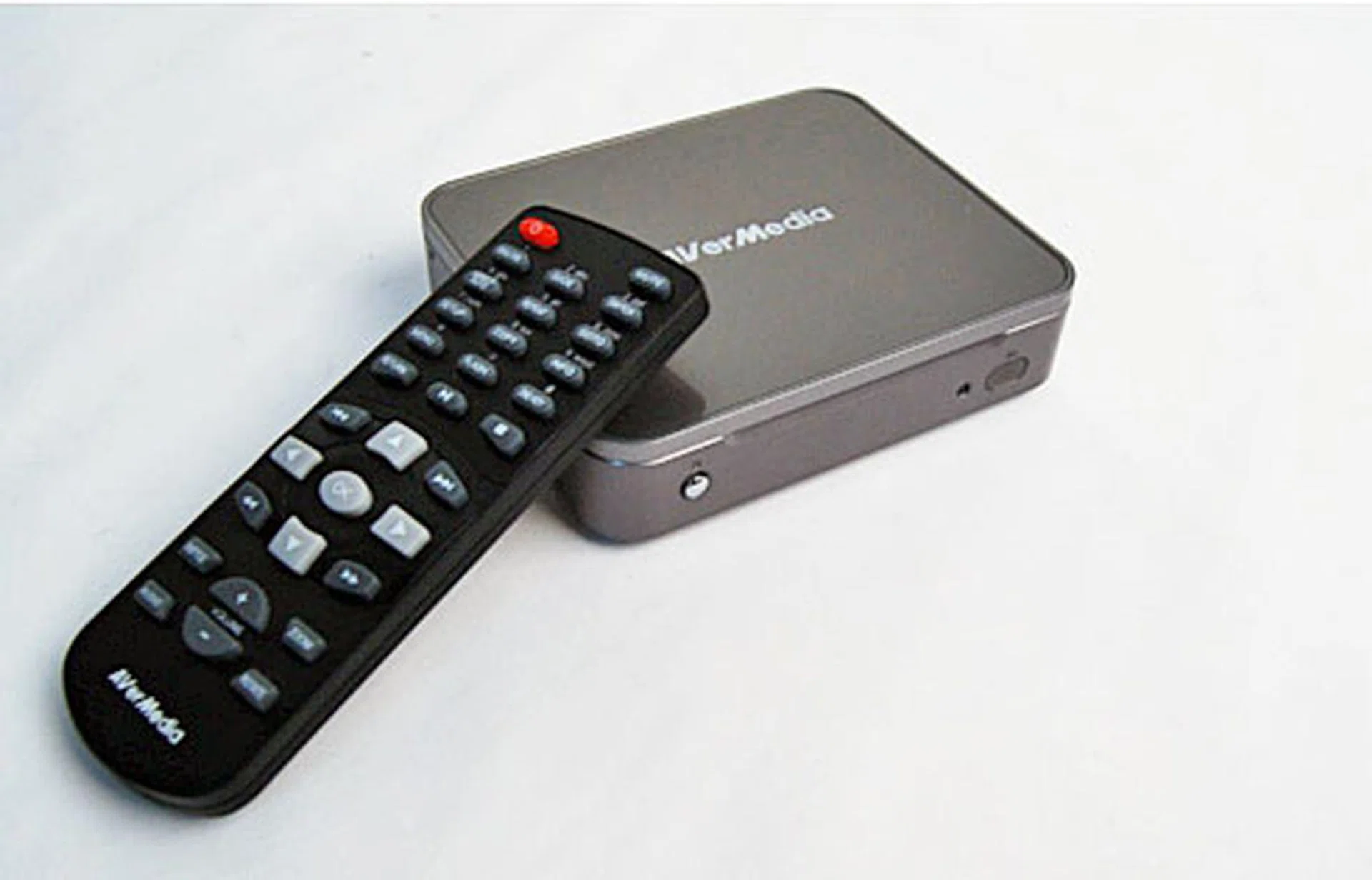
The HD Studio offers good value for those looking for a player that just works and without unnecessary bells and whistles.
Our articles may contain affiliate links. If you buy through these links, we may earn a small commission.