
Diablo III Beta - Performance Review
Blizzard's Diablo III beta is finally live! But can your system handle it in all its dark, fantasy glory? We find out with three variously configured machines.
Diablo III Beta – Performance Review
It's been a long, four year wait since Blizzard first announced Diablo III, but now, finally the beta is here! Utilizing a new in-house, custom built 3D engine, Diablo III looks better than ever, but can your system handle it in all of its dark, fantasy glory? We have a quick try to find out..

System Requirements
Here are the minimum specs listed on Blizzard’s support page:
PC | Mac |
|
|
Common Requirements to All Platforms | |
|
Overall, the system requirements seem fitting enough for a modern game and you can see with even minimum specification requirements, the game required a mid-range class modern GPU (or a high-end one from a system of a few years ago) at least. But the burning question is, what kind of game play can you expect with those specs? We quickly set up three test machines - entry level, mid-range, and high-end – to see how the game ran at the max graphics quality settings.
Test Setup
Since this is just a beta version of the game for now, please take whatever we report with a pinch of salt. The actual numbers may yet vary in the final build. So naturally, we quickly identified thee systems in our lab of various specs to get this comparison going. From an entry-level Intel Core 2 Duo E6300 with a GeForce 8600 GTS, to a Core i7 with dual Radeon HD 6970 cards in a CrossFire setup. Here's the full specs list of the test machines.
Entry Level Test Machine
- Intel Core 2 Duo (dual-core, 1.86GHz)
- Shuttle XPC SD39P2 (Intel 975X)
- 2GB DDR2-533 RAM
- Sparkle GeForce 8600 GTS
- Maxtor DiamondMax 10, 200GB SATA (7200 RPM)
Mid-range Test Machine
- Intel Core 2 Extreme QX6700 (2.66GHz, quad-core)
- Intel DP35DP motherboard
- 4 x 1GB DDR2-800
- NVIDIA GeForce GTX 260
- Hitachi 320GB SATA (7200 RPM)
High-end Test Machine
- Intel Core i7-975 @ 3.33GHz
- Gigabyte GA-EX58-UD4P motherboard
- 3 x 1GB DDR3-1333 G.Skill RAM in triple-channel mode
- ATI Radeon HD 6970 CrossFire Setup
- Seagate 7200.10, 200GB SATA (7200 RPM)
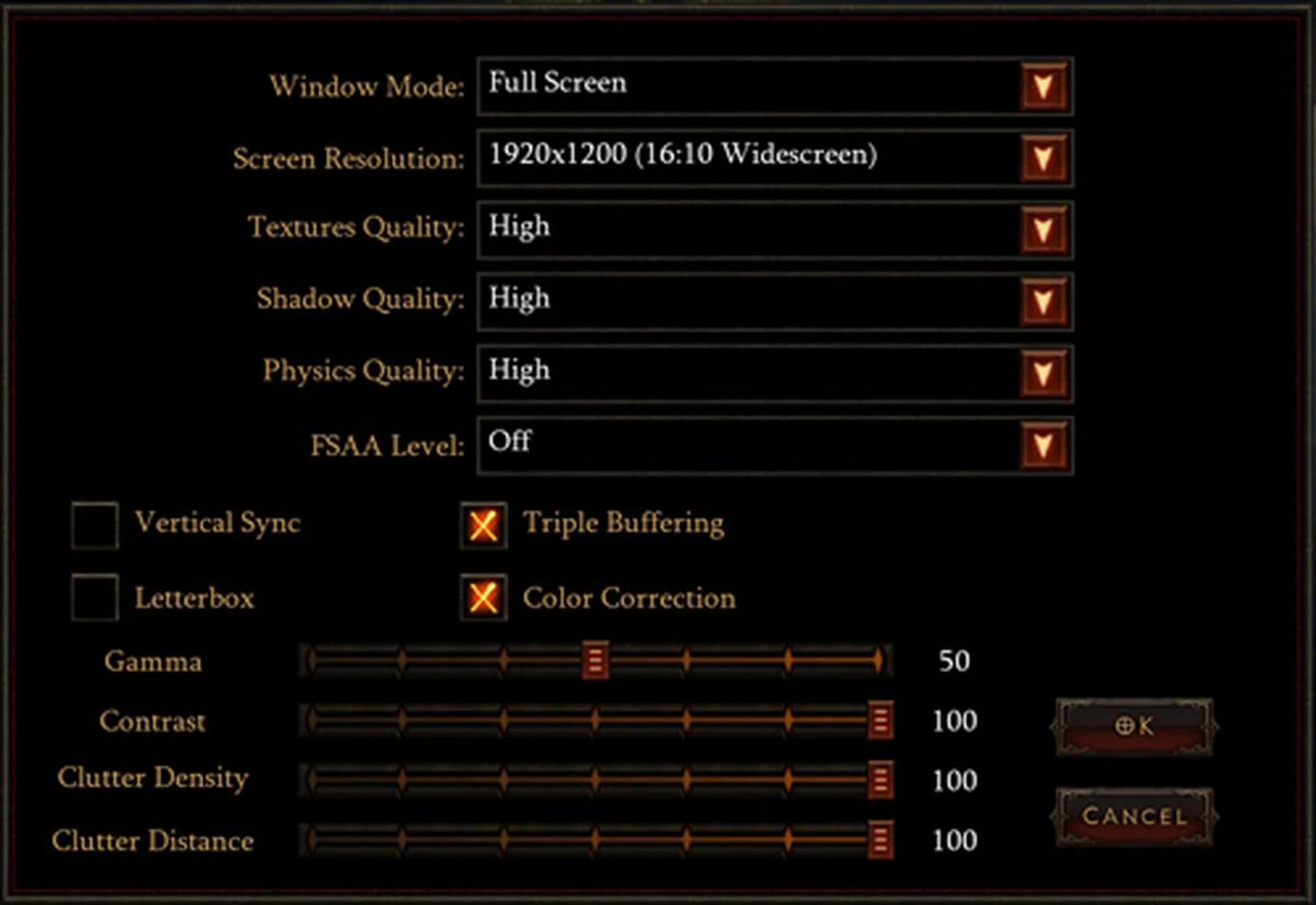
Take note that in the interest of time and that the game is still in beta, we've chosen to go with one main game setup configuration where we pushed the graphics quality setting to the maximum and testing only at the resolution of 1900x1200 pixels resolution.
How We Tested
To benchmark the game, we created a new Monk character, and played through the first minute of the beta three times on each machine, using FRAPS to record the minimum and average FPS. Of course, since Diablo III has a random aspect to it, we tried as closely as possible to fight the same enemies with the same attacks each time – it’s not perfect, but it’s as close as you can get to repeatable in Diablo III.
The beta starts here...
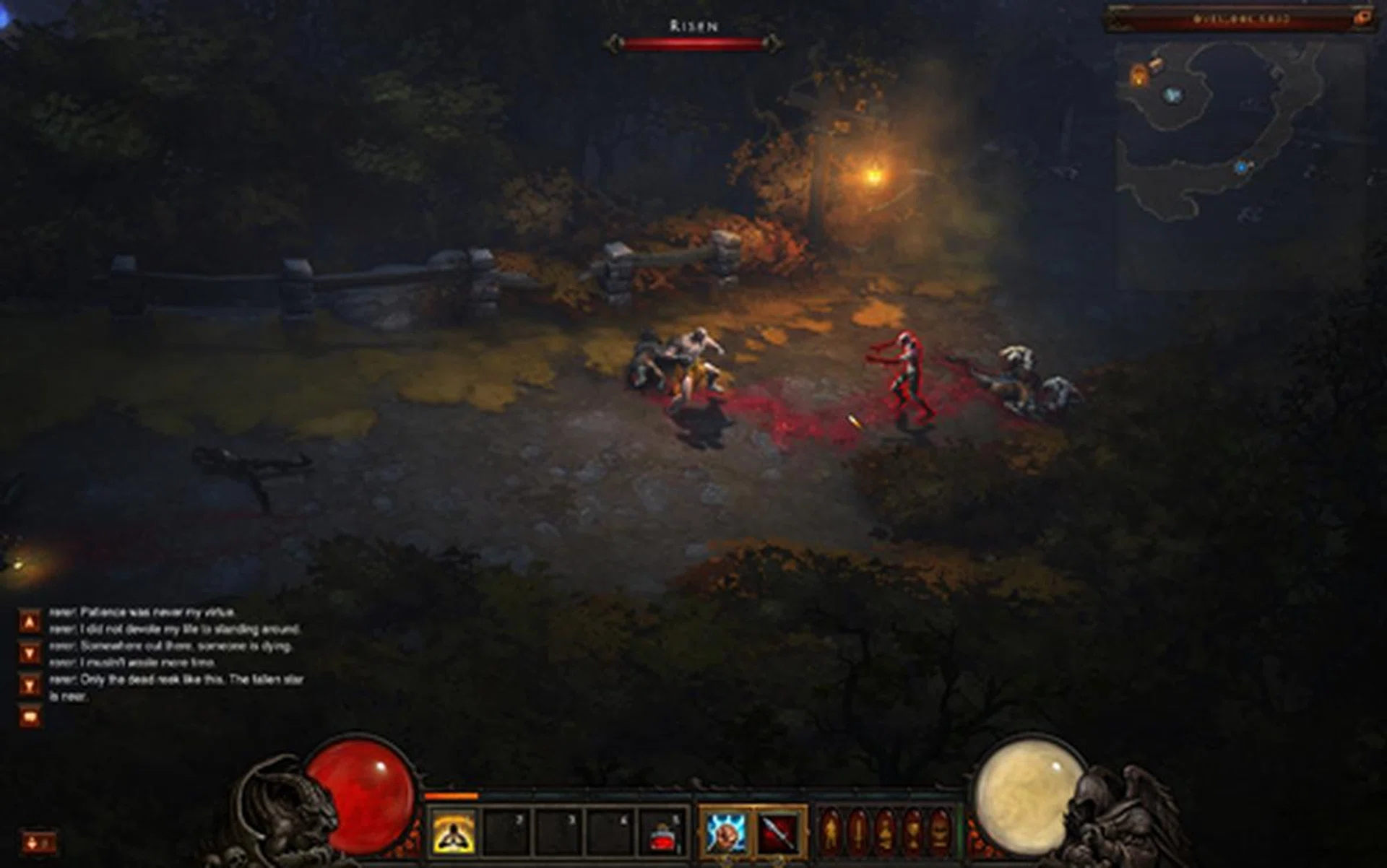
A lonely winding road, with a few enemies and a couple of nice lighting effects courtesy of some conveniently located torches.
...and at the end of the road:
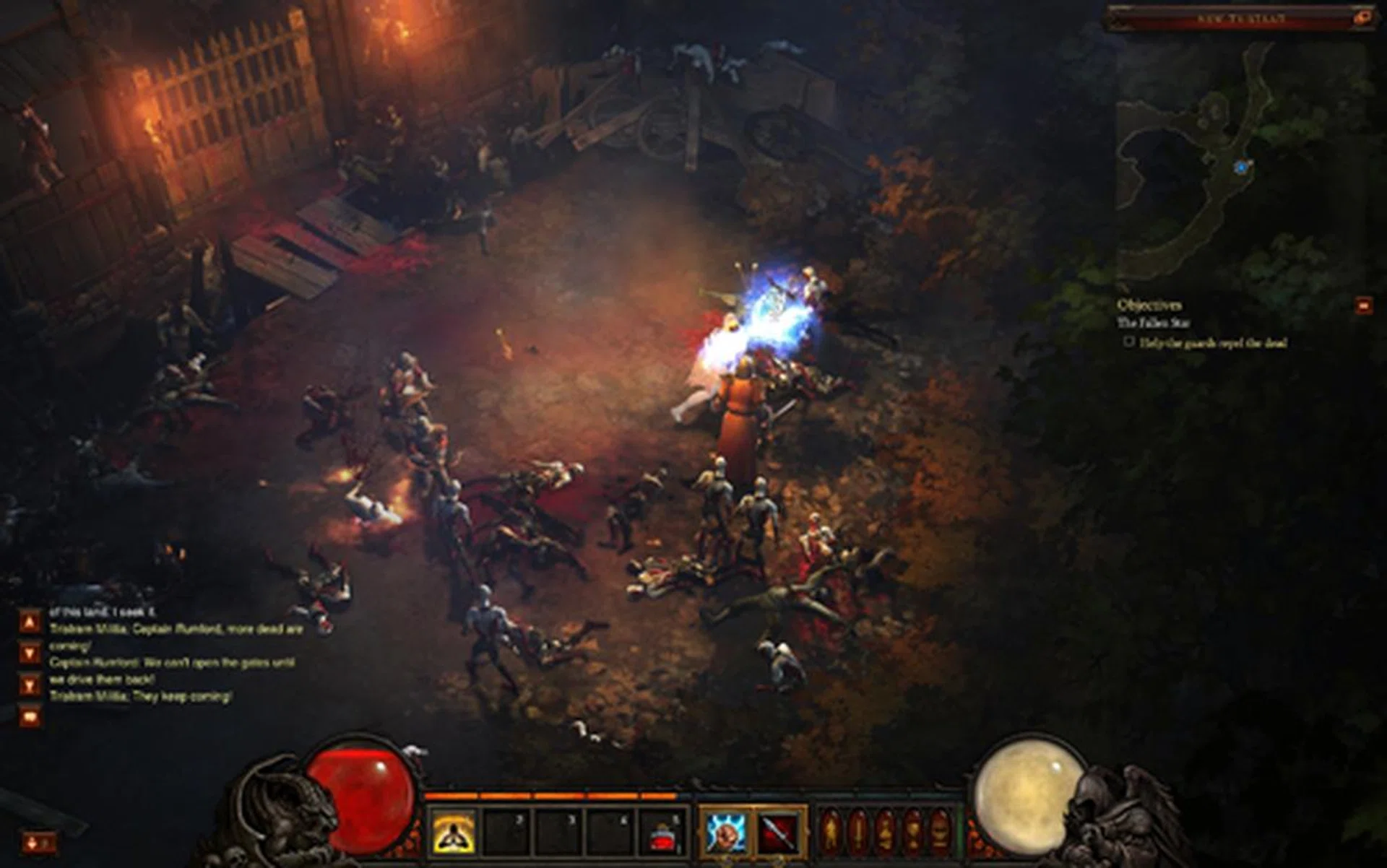
Zombie ambush!
To experience the full potential of the game, we had our settings at max - although we noticed that the beta seems a bit sparse in graphical options at the moment. FSAA level (full screen anti-aliasing) is also currently disabled. Here are the settings we used:
Preliminary Results
Max Settings
We used FRAPS to record the minimum and average FPS for three runs, based on a recording time of 60 seconds from the start of the beta to just after the big zombie ambush.
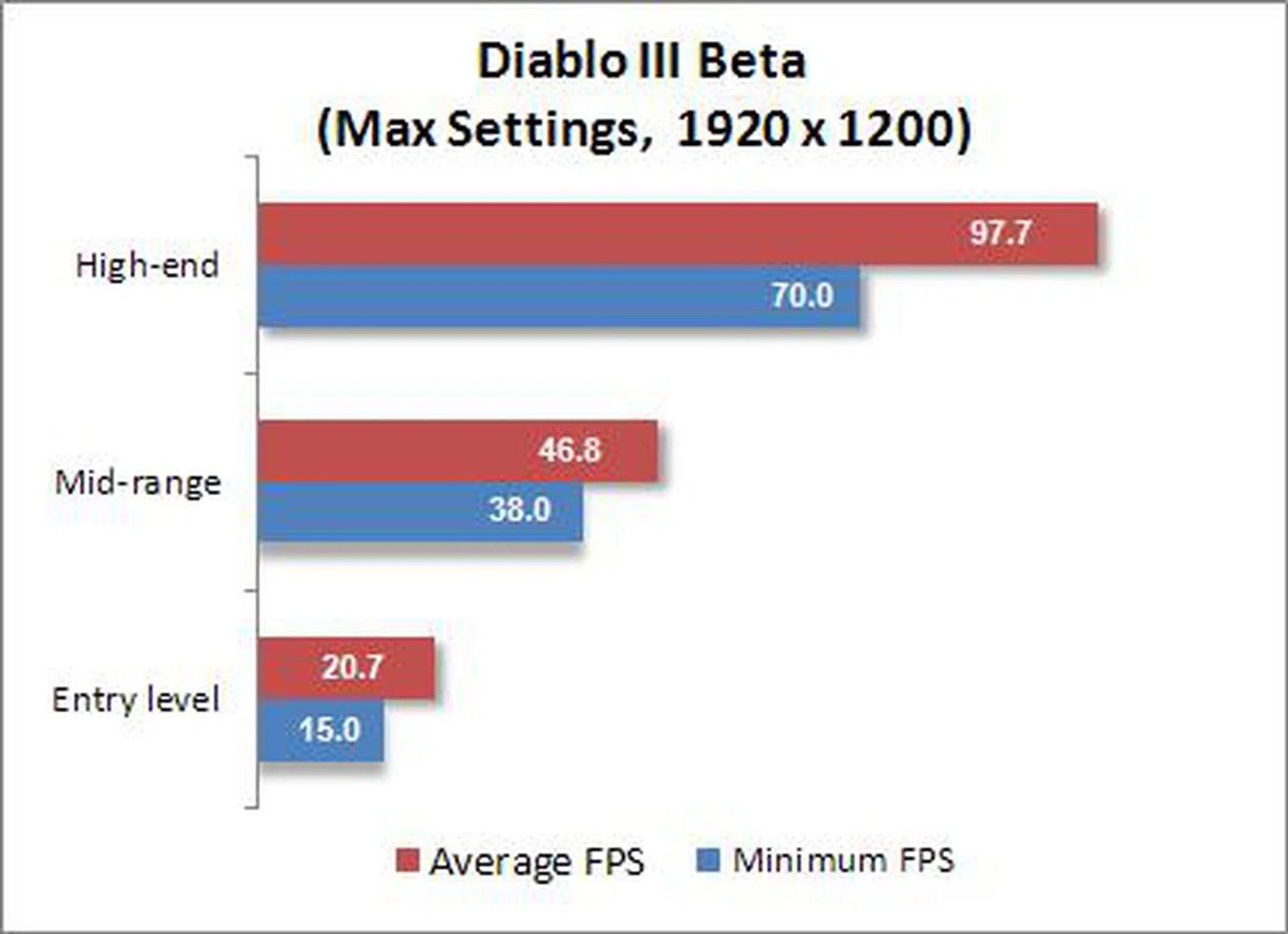
As you can see, our entry level machine, which is fairly close to Blizzard’s minimum suggested specs struggled to play the game. Frame rates started low, and then plummeted during the climactic zombie battle. No wonder Blizzard suggested a slightly more powerful minimum graphics card on the PC, but we seriously doubt even that would make the grade for high resolution gaming.
Our mid-range quad-core machine handled the game fine, running relatively smoothly, although it did suffer slightly during battle. We reckon that the GeForce GTX 260 was the main reason it managed these decent scores. Even so, we expected better yet. Perhaps the final build of the game could muster better performance? We'll keep you posted and when we have more trials.
The high-end machine had no problems dealing with anything the game threw at it, never dropping below 70 FPS. It's a good thing that the dual Radeon HD 6970 graphics cards had the firepower to maintain such high frame rates. Again, we were probably expecting more, but perhaps we might be a little greedy too.
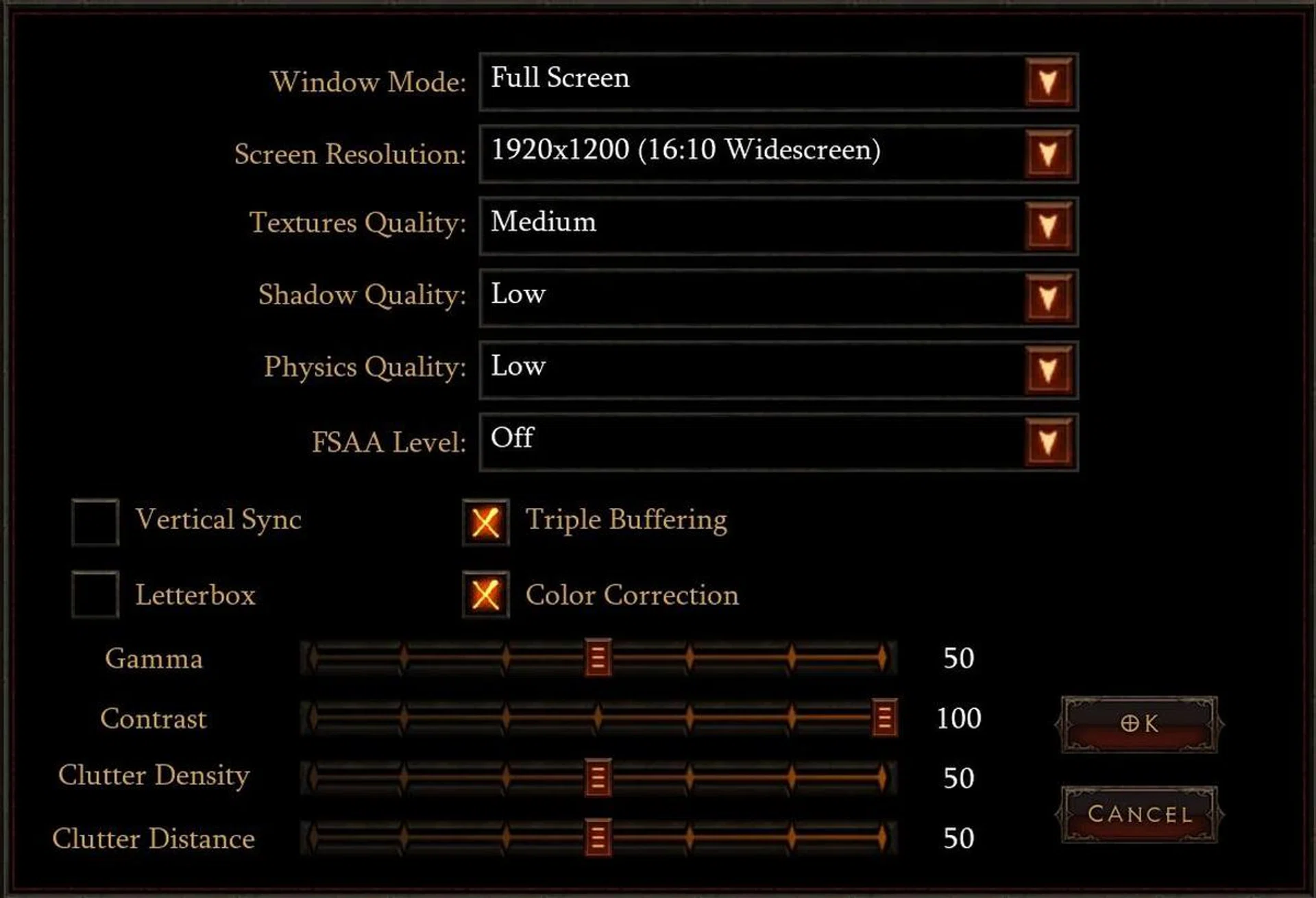
Medium Settings
Seeing that the results from the entry level and mid-range class machines weren't that great on high quality setting, we decided to tone down a few settings on both of these machines to see if we could get the frame rates up to 60 FPS. Here are the new settings:
Here's how the game looks at medium settings compared to maximum settings shown on the right.
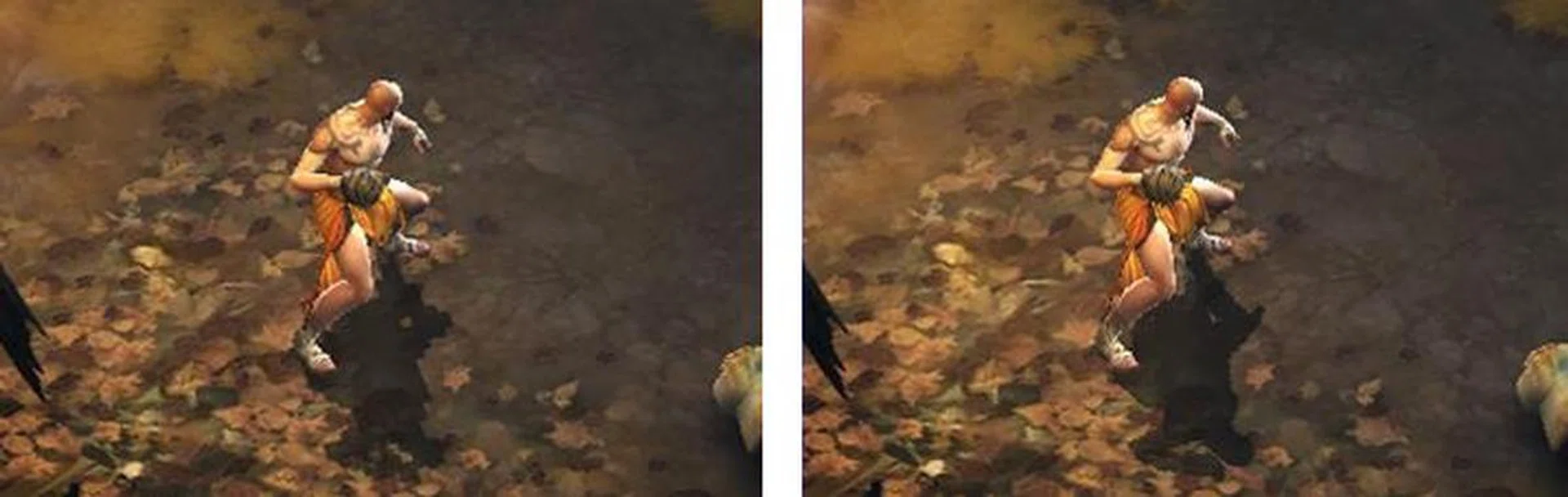
Medium settings on the left, Maximum settings on the right
The most obvious difference between medium and maximum settings is the shadow quality. In other areas, more foliage and debris littered the ground on maximum settings. Texture quality did not suffer much and, as Diablo III utilizes an isometric viewpoint, highly textured character models aren't as important as in other games anyway. Notice how our Monk character looks almost the same in both Medium and Maximum settings.
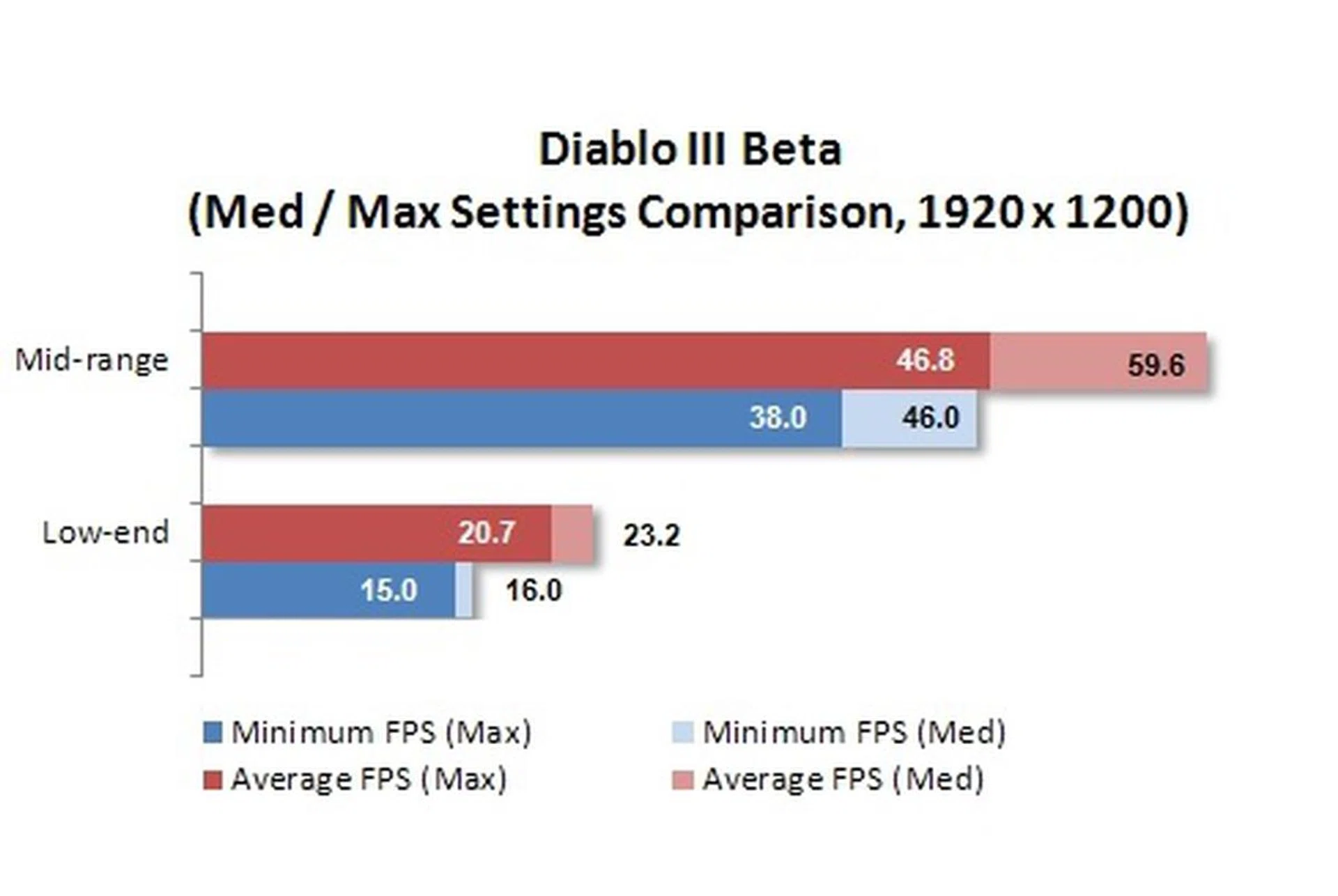
Turning down the settings on the entry level machine did little to boost performance. Average FPS remained below an acceptable levels and the game stuttered and slowed down frequently. Very likely, both the processor and the graphics cards are unable to handle the demands of Diable III. So it looks like you would need to run at a modest resolution (1024x768) to run Diablo III on such a system, but it's not going to look pretty at all. The mid-range system on the other hand saw noticeable performance gains, and tweaking the settings even more should allow for a perfect balance between performance and visual quality.
Conclusion
The Diablo III Beta should be playable on any quad-core system with a decent mid-range GPU. Anything above 40 FPS was more than acceptable for a comfortable game play with only slight perceptible gains seen between the 46.8 average FPS from our mid-range system and the 97.7 average FPS from our high-end system - despite the latter machine scoring twice as much.
Dual-core systems with low-end GPUs are not recommended - unless perhaps you can stomach running at a low resolution. Our entry level machine with a somewhat middle class GPU was unable to achieve acceptable frame rates at high resolutions, even with settings turned down. So if you're still using a system from four years ago, it's quite likely you might need a complete overhaul to enjoy playing Diablo III in all its glory
Of course, this is just the Beta and the currently sparse graphics quality options suggest that Blizzard still has some optimization and tweaking to do. We also noticed a few graphical glitches during our time exploring the game world, so it remains to be seen how the retail version will perform. Meanwhile, for those who managed to get in to try Diablo III Beta, enjoy!
Our articles may contain affiliate links. If you buy through these links, we may earn a small commission.